The HR function is at an inflection point. With dozens of software providers competing for attention, most leaders struggle to decide which platforms to adopt. The common trap is assuming that more tools equal better outcomes. In reality, fragmented stacks create expensive operational friction.
Here is the insight that matters: integrated platforms consistently beat disjointed systems.
This guide introduces four challenges where technology delivers impact, compares ten purpose-built options (including free AI tools for HR), and provides a framework to evaluate the best AI tools without multiplying complexity.
Why HR teams need AI in 2026
The business case for adopting artificial intelligence is no longer theoretical—it is a practical necessity.
HR departments face a mounting operational backlog. Manual resume screening, feedback synthesis, repetitive policy questions, and drafting job descriptions constantly compete for limited staff time. When these administrative tasks consume your team's capacity, strategic work—such as retention planning, compensation analysis, and talent development—inevitably gets deferred. This is where creates real value: it redirects hours from repetitive paperwork to judgment-based strategy.
Time liberation in practice
Administrative work is inherently repetitive. Consider the standard resume screening process: a recruiter reads an application, extracts key information (years of experience, relevant skills, potential red flags), and compares it against the job requirements. This exact sequence repeats for every single applicant.
Applying AI tools for HR automation shifts this dynamic. Instead of a recruiter spending five to ten minutes manually assessing each resume—amounting to eight to sixteen hours for 100 applications—the system generates structured summaries in a fraction of the time. The recruiter can then focus entirely on the high-value phase: evaluating which candidates warrant interviews and building relationships.
We see similar patterns across other workflows. Synthesizing themes from employee surveys or drafting job descriptions from scratch takes hours; using historical data and templates to accelerate the work takes minutes. If a 10-person department can redirect five to ten hours per week toward culture work or retention strategy, that operational capacity directly converts into measurable business impact.
Moving past spreadsheet guesswork
When your data lives across multiple disconnected systems—recruiting metrics in an ATS, performance reviews in another platform, and compensation in a third—decisions are inherently based on incomplete information. Your hiring numbers might not match your financial system, or attrition rates calculated from payroll might differ from manager perceptions. These inconsistencies rarely indicate data fraud; they simply reflect the reality that no single platform holds the complete picture.
Modern AI tools for HR management consolidate this disparate data into one unified view. This enables leadership to make decisions based on complete, real-time information rather than fragments, reducing the need for endless data-gathering meetings and significantly improving decision quality.
The hidden cost of tool sprawl
When a department relies on five to seven separate applications, three major costs begin to accumulate:
- Integration overhead: Connecting disparate systems requires significant time and budget. APIs need configuration, field mappings demand negotiation between different vendors, and data synchronization breaks regularly. For a mid-market company, these integration projects typically span four to eight weeks and consume heavy IT resources.
- Training multiplication: Every distinct interface demands staff training. Across a growing team, this onboarding burden multiplies rapidly. New hires face steeper learning curves, and whenever vendors push updates or migrate systems, retraining begins all over again.
- Context switching drag: When recruiting data lives in one platform, performance feedback in another, and compensation elsewhere, your team is constantly navigating between windows. Switching attention between apps—even for brief periods—disrupts focus and introduces errors. For a team switching platforms 10 to 15 times daily, this drag becomes a material loss.
For a 10-person HR team, these combined factors—productivity loss, integration maintenance, and training overhead—often result in tens of thousands of dollars in hidden annual costs. This is exactly why the top AI tools for HR professionals increasingly favor unified platforms over specialized point solutions.
Consolidate your HR tool stack completely
How AI solves 4 critical HR challenges
Rather than listing dozens of overlapping applications, this guide focuses on four specific areas where the technology offers the highest return. Understanding these use cases will help you determine whether your organization needs a comprehensive platform or a targeted solution.
1. Automating the recruiting pipeline
Recruiting bottlenecks occur the moment application volume exceeds human capacity. Manual screening alone consumes hours every day, and coordinating interview schedules across multiple calendars quickly devolves into purely logistical work. Furthermore, bias in manual screening persists simply because every recruiter applies their subjective judgment differently.
Intelligent systems address this by moving beyond basic keyword searching. Instead of filtering resumes for exact credential matches, advanced algorithms evaluate capability across role transitions. For example, a candidate who worked as a "Business Analyst" at one company might possess the exact skills needed for a "Product Operations Manager" at yours. Without intelligent matching, these candidates are often filtered out due to title mismatch; with it, their actual capabilities surface to the top.
Similarly, automated calendar synchronization removes the friction of interview scheduling. Instead of sending five emails to coordinate four people, the software identifies available slots and books the meeting instantly. Video interview analysis further standardizes candidate evaluation by assessing consistency in responses rather than relying on subjective human impressions.
The realistic impact: These capabilities drastically reduce administrative recruiting work. By freeing up this time, your team can engage more deeply with candidates through phone screens and relationship building. For organizations handling high-volume recruiting (50+ hires annually), the time savings alone justify investing in dedicated AI tools for HR recruitment.
2. Accelerating performance reviews
Performance reviews naturally produce volumes of data. A standard 360-degree review for just one employee can generate 20 to 30 comments from peers, managers, and direct reports. When a manager manually synthesizes those comments into a cohesive narrative, it takes two to three hours. Multiply that across a department of 50 people, and you are looking at 100 to 150 hours of synthesis work. As a result, review cycles often stretch to eight or twelve weeks, meaning the feedback is already stale by the time it is delivered.
changes this entirely by identifying themes across dozens of comments in minutes. Instead of a manager hunting for patterns, the system surfaces aggregated insights—for instance, noting that "communication quality" was mentioned seven times, while "project execution" appeared four times. The platform then generates a draft review citing these specific points, which the manager can personalize. Additionally, consistency checking flags scoring variances (such as one manager rating everyone a 4.5/5 while another rates everyone a 2.5/5), prompting necessary calibration conversations before reviews are finalized.
The realistic impact: Automated synthesis not only reduces the hours spent writing reviews but compresses the entire cycle from months down to a few weeks. This keeps feedback timely and enables much faster development conversations.
3. Reducing helpdesk load via self-service
HR teams constantly field the same questions: "How many vacation days do I have?", "What is our parental leave policy?", or "How do I submit a reimbursement?" Answering each query takes 10 to 15 minutes. If a five-person team handles 20 similar questions daily, they lose up to 100 minutes of capacity. Scaled across a year, that equates to more than 200 hours—essentially requiring one full-time employee just to manage FAQs.
Deploying 24/7 chatbots removes human involvement from these routine inquiries. Because modern assistants understand natural language, an employee can ask, "I am coming back from leave next month—how do my benefits reset?" rather than having to guess the right search keywords. The system accesses your company policies, checks the employee's tenure and location, and delivers a precise, personalized answer. For global teams, multilingual support ensures employees can interact in their native language. When complex issues arise—such as medical accommodations or policy exceptions—the system escalates the ticket to a human with full context attached, preventing HR from having to repeat the information-gathering phase. The realistic impact: A well-configured assistant resolves the vast majority of incoming questions. For a 200-person company, it is common to see weekly inquiries drop from 60–80 down to just 10–15 complex cases that actually require human judgment.
4. Identifying attrition and skill gaps
Employee departures often feel unexpected to leadership. When someone resigns, the immediate reaction is often, "I didn't see that coming." Yet the signals were usually there: a peer on their team left recently, they haven't been promoted in two years, or their compensation sits at a lower percentile than their peers. The problem is that these signals live in fragmented systems, remaining invisible until it is too late.
Predictive models analyze these multiple data points—tenure, engagement patterns, relative compensation, peer departures, and development history—to flag employees who are at a higher risk of leaving. Crucially, when the system identifies a risk, it explains the reasoning: "This employee is flagged because two peers departed in the past six months, there has been no promotion in 18 months, and compensation is at the 30th percentile for the role."
This level of clarity enables targeted interventions—such as a compensation review, a team transfer, or a structured development plan—weeks before a resignation letter is drafted.
The realistic impact: Spotting at-risk employees early shifts HR from damage control to proactive retention. Organizations that act on these signals see clear improvements in retention rates. The ROI here is highly measurable: retaining even a single key employee typically covers the cost of the software, given the high price of recruitment and onboarding.
The 10 Best AI Tools for HR: Comparison & Reviews
Now that we have established where technology delivers the highest return on investment, the next logical step is evaluating the market. Finding the right software means matching your specific bottlenecks with the systems built to solve them.
Rather than chasing every new feature, I recommend looking closely at the platforms that have proven their value. Below is a detailed breakdown of the 10 best AI tools for HR, ranging from comprehensive workspaces to specialized analytics engines.
Quick comparison table
1. Lark: Unified HR workspace
is best for growing SMEs to large enterprises, especially remote or hybrid teams struggling with fragmented tool stacks. It stands out because it acts as a , drastically reducing the high costs and associated with typical software sprawl.
Many HR departments suffer from structural fragmentation. A typical team might use one application for messaging, a separate drive for policy documents, another app for video meetings, and a dedicated system for approvals. This disjointed approach creates massive friction: onboarding documentation gets lost, context is constantly broken, and software subscription costs quickly balloon.
steps in as a unified workspace that combines , , , , , , , , and a into a single platform. Instead of forcing your team to jump between applications, Lark keeps work moving in one place.
Key Features that drive HR efficiency:
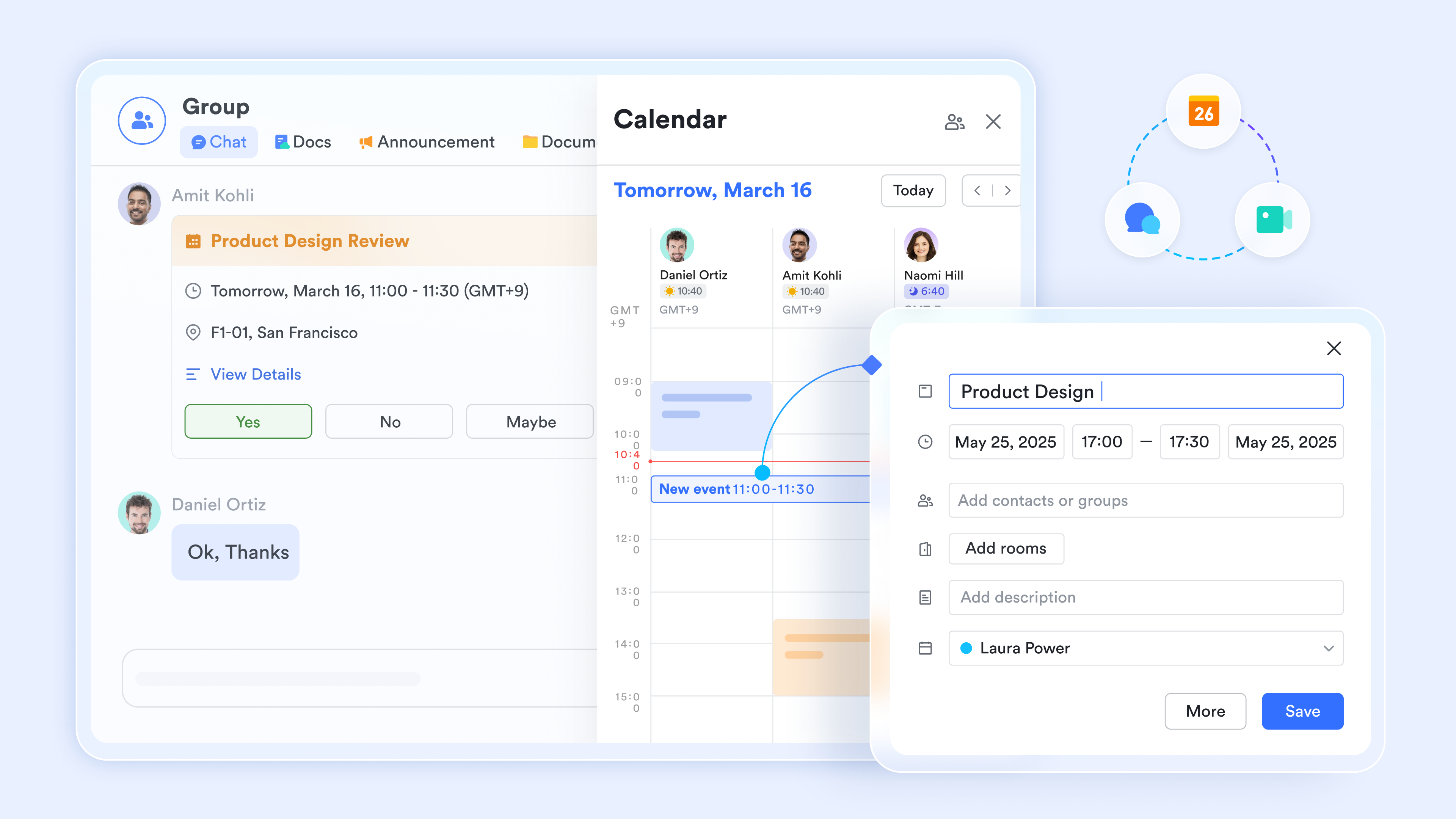
Unified ecosystem: Messaging, shared calendars, and video conferencing happen in the same interface, eliminating context switching during the recruitment or onboarding process.
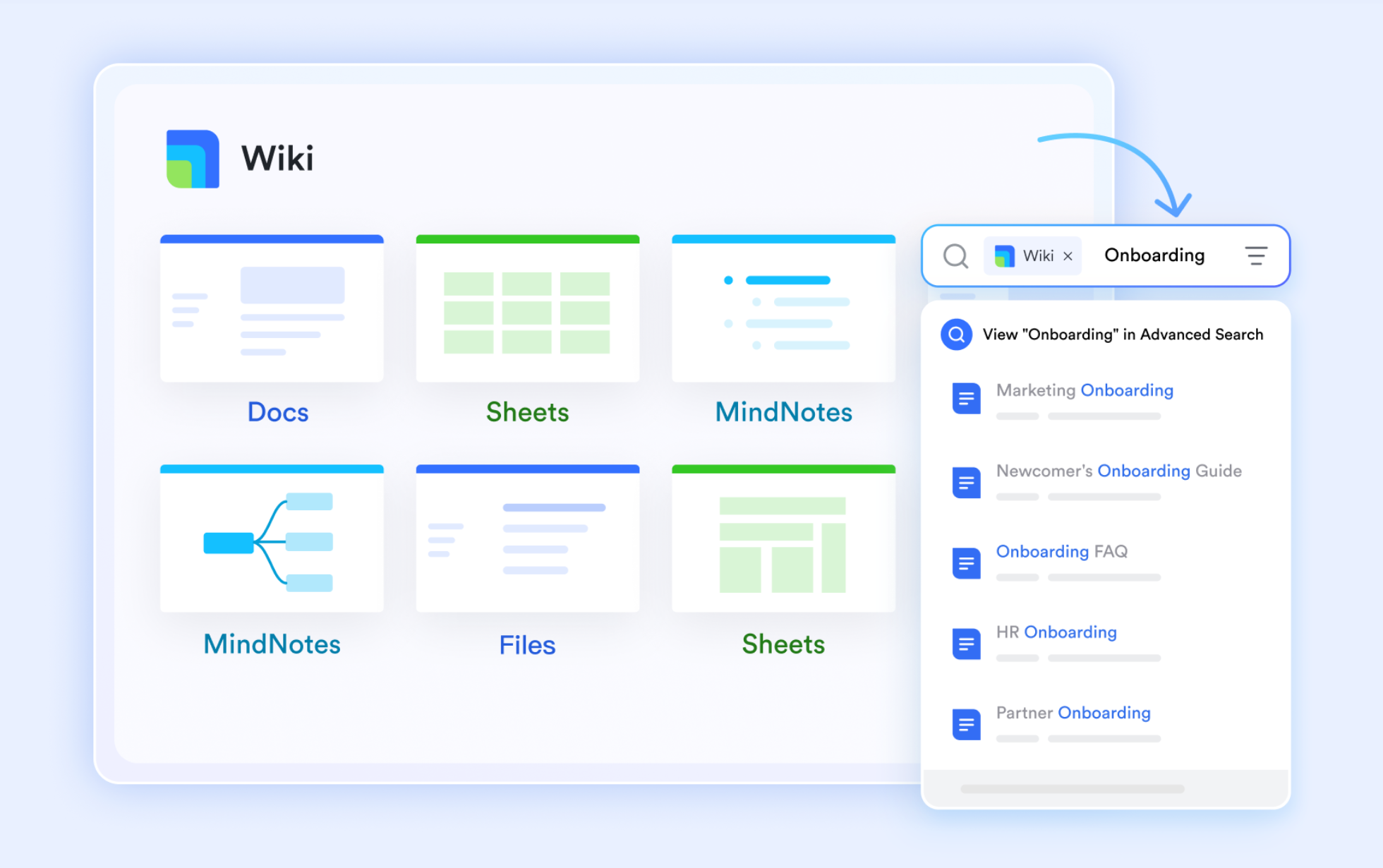
Connected knowledge base: 's integrated ensures your team finds project specs and HR policies without ever leaving the chat window.
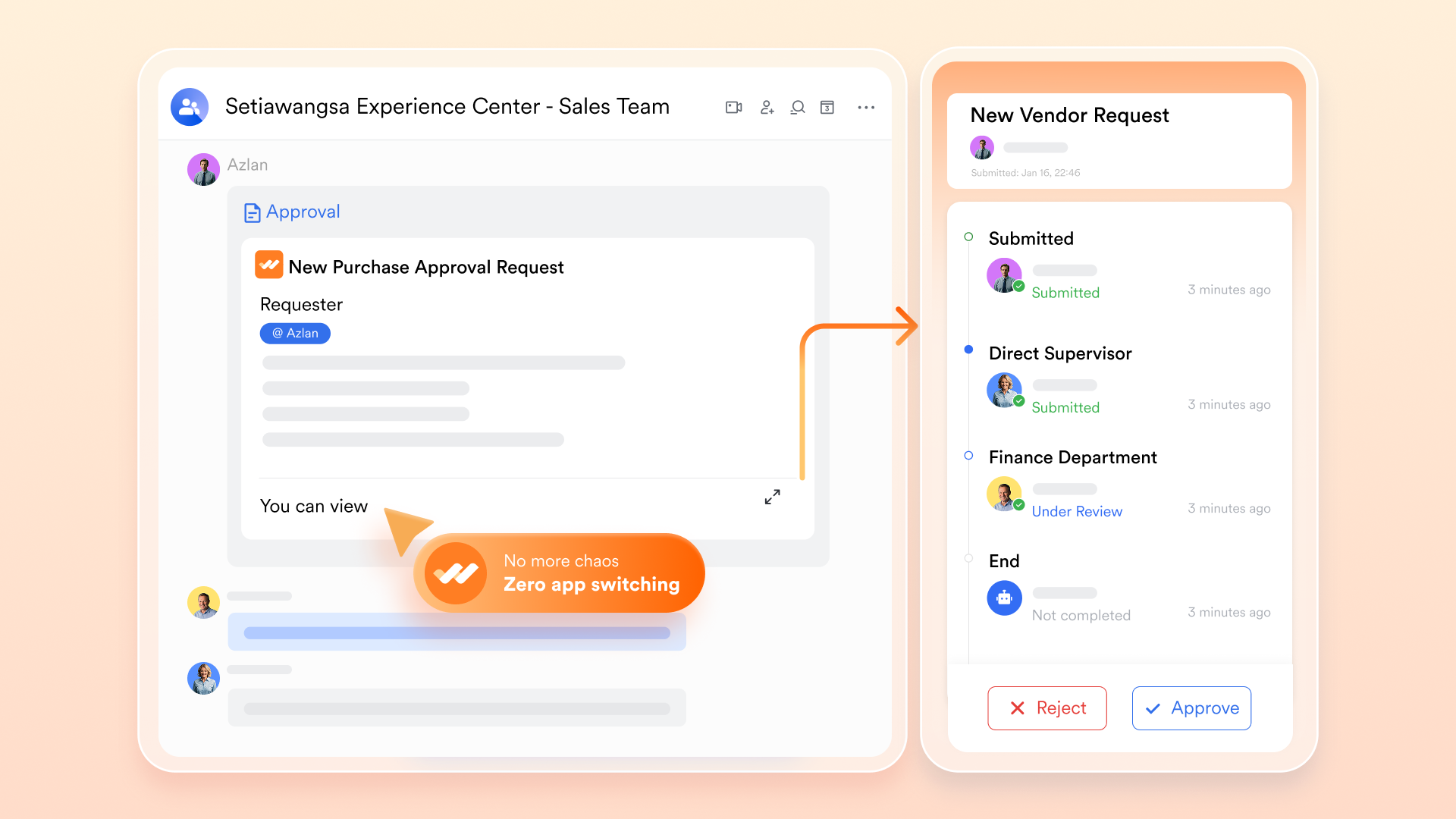
Advanced workflow automation: You can trigger an automated onboarding sequence, route an offer letter for , and track employee goals—all within the exact same system.
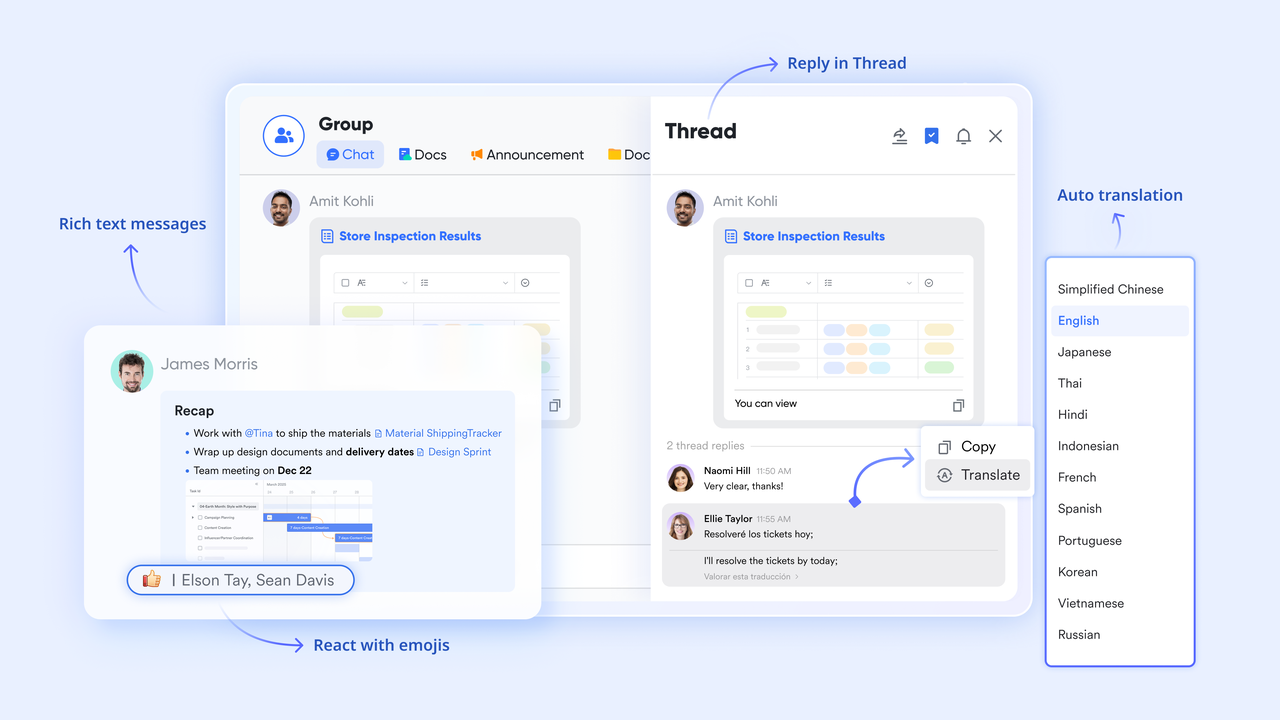
Multilingual collaboration: bridge communication gaps for global teams instantly in chat and documents.
For teams looking for highly capable free AI tools for HR, ’s starting tier offers serious operational power that legitimately rivals expensive, multi-tool tech stacks.
Pros & Cons:
- One-stop integration significantly lowers total software subscription costs.
- Powerful (up to 50,000 runs on the Pro plan) handles repetitive onboarding and approval sequences.
- Built-in AI translations effectively break down language barriers for global hybrid teams.
- There are so many features on the platform that it takes a bit of time to try them all out. The initial switch from using basic spreadsheets to Lark's advanced workspace takes some getting used to, but the comprehensive help center makes the transition painless.
- Starter plan: Free forever plan with 11 powerful tools for up to 20 users, 100GB storage, 1,000 automation runs, AI translations, and more. No credit card needed.
- Basic plan: $6/user/month (billed annually) for up to 500 users. Includes everything in Starter plus unlimited message history, 5TB storage, 1,000 automation runs, and more. Some users may need to to purchase.
- Pro plan: $12/user/month (billed annually) for up to 500 users. Includes everything in Basic plus group calling for up to 500 attendees, 15TB storage, 50,000 automation runs, and more.
- Enterprise plan: for custom pricing. Supports unlimited users and includes advanced automation, security, compliance, and management features.
For small teams with simple communication needs

18 months message history
1000 Base automation runs/month
2000 rows per table in Base
Most POPULAR
For companies with comprehensive collaboration and management needs
Unlimited message history
500-participant video meetings
50k Base automation runs/month
20k rows per table in Base
For large companies with advanced security and organizational management needs
Get a personalized demo and pricing
Unlimited message history
500-participant video meetings
15 TB storage + 30 GB storage/user
500k Base automation runs/month
50k Base automation runs/month
Most POPULAR
For companies with comprehensive collaboration and management needs
Unlimited message history
500-participant video meetings
50k Base automation runs/month
20k rows per table in Base
2. Eightfold.ai: Skills-based recruiting
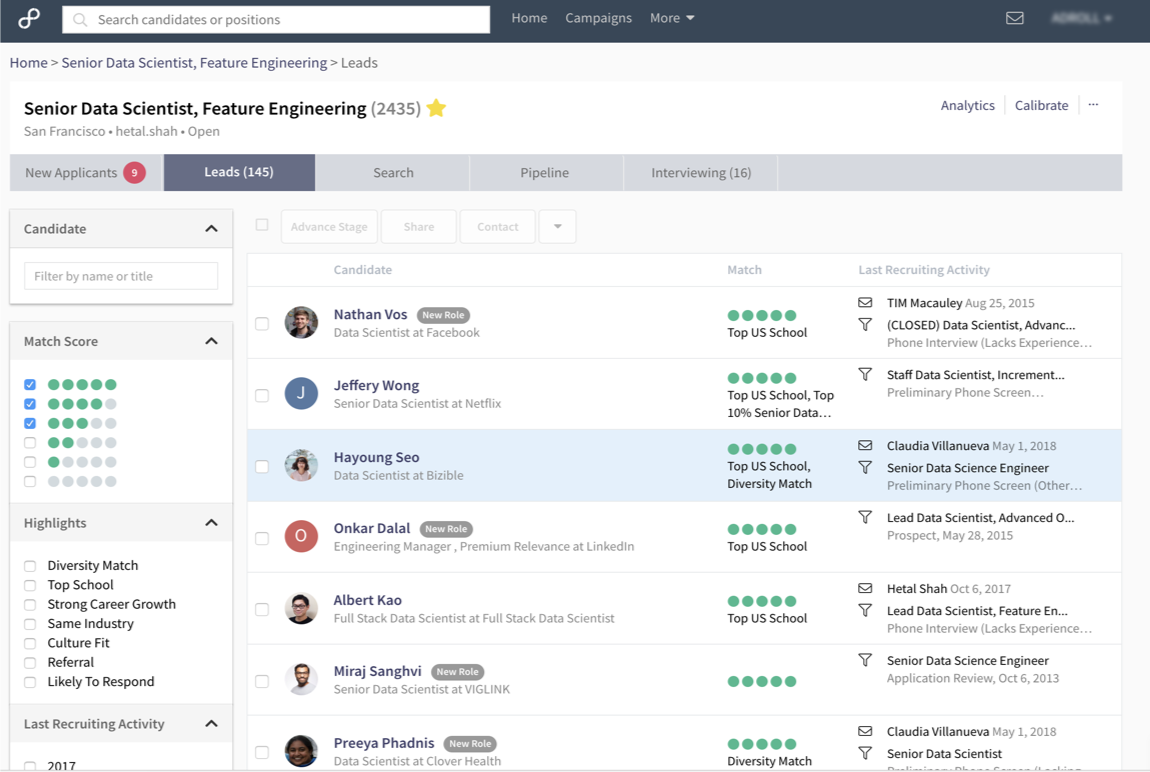
Image source: softwareadvice.com.au
Eightfold is best for enterprise organizations committed to skills-based hiring and internal mobility. It excels by analyzing capability rather than relying strictly on past job titles, helping you discover talent your competitors overlook.
When evaluating AI tools for HR recruitment, Eightfold takes a fundamentally different approach. Instead of filtering candidates by exact credential matches, the platform operates on a massive capability database. The system analyzes over 1.6 billion career profiles and 1.6 million distinct skills to match individuals to roles they are qualified for today, as well as roles they can grow into.
This is incredibly valuable for uncovering passive candidates and managing internal mobility. When a new role opens, the system can instantly flag internal employees whose skills align with the requirements, fostering retention. It also actively works to mitigate bias by standardizing how capabilities are weighed, ensuring hiring decisions focus on objective qualifications.
Pros & Cons:
- Unmatched skills database providing deep talent intelligence.
- Strong focus on bias mitigation and responsible hiring practices.
- Surfaces internal mobility opportunities to improve employee retention.
- Premium enterprise pricing makes it prohibitive for small businesses.
- Implementation requires significant time to map existing roles to the skills framework.
Pricing: Contact sales for customized enterprise pricing.
3. HireVue: Video interview analysis
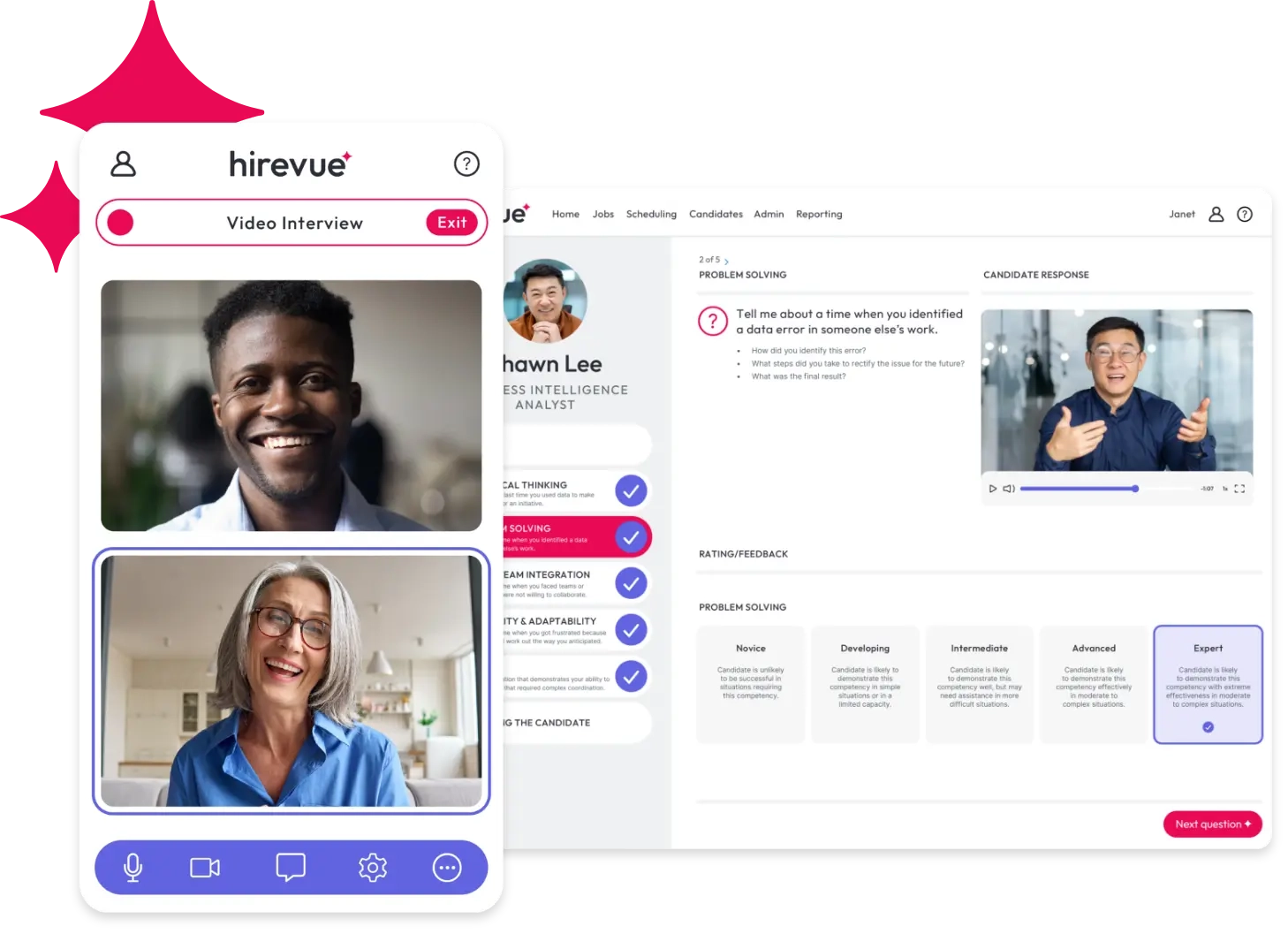
Image source: hirevue.com
HireVue is best for high-volume recruiting teams that need to standardize the interview process. It stands out by replacing subjective interviewer impressions with structured, consistent evaluation metrics.
High-volume hiring often suffers from consistency issues. One hiring manager might evaluate a candidate completely differently than another, leading to biased or arbitrary decisions. HireVue addresses this by analyzing structured video interviews. It evaluates candidates on consistent criteria, examining communication patterns and problem-solving structures to create a standardized baseline.
This approach drastically reduces the hours recruiters spend on initial screening calls. By setting predefined evaluation frameworks, organizations ensure every applicant is assessed against the exact same rubric. While it operates strictly in the recruitment domain, it is a highly effective piece of the puzzle for teams dealing with massive applicant pipelines.
Pros & Cons:
- Significantly reduces time-to-hire for high-volume roles.
- Creates a highly consistent, auditable evaluation process.
- Standardizes scoring frameworks across different hiring managers.
- Algorithmic video screening can cause anxiety for some candidates.
- Lacks broader performance or employee lifecycle management features.
Pricing: Contact sales for organizational pricing.
4. Lattice: Performance & engagement
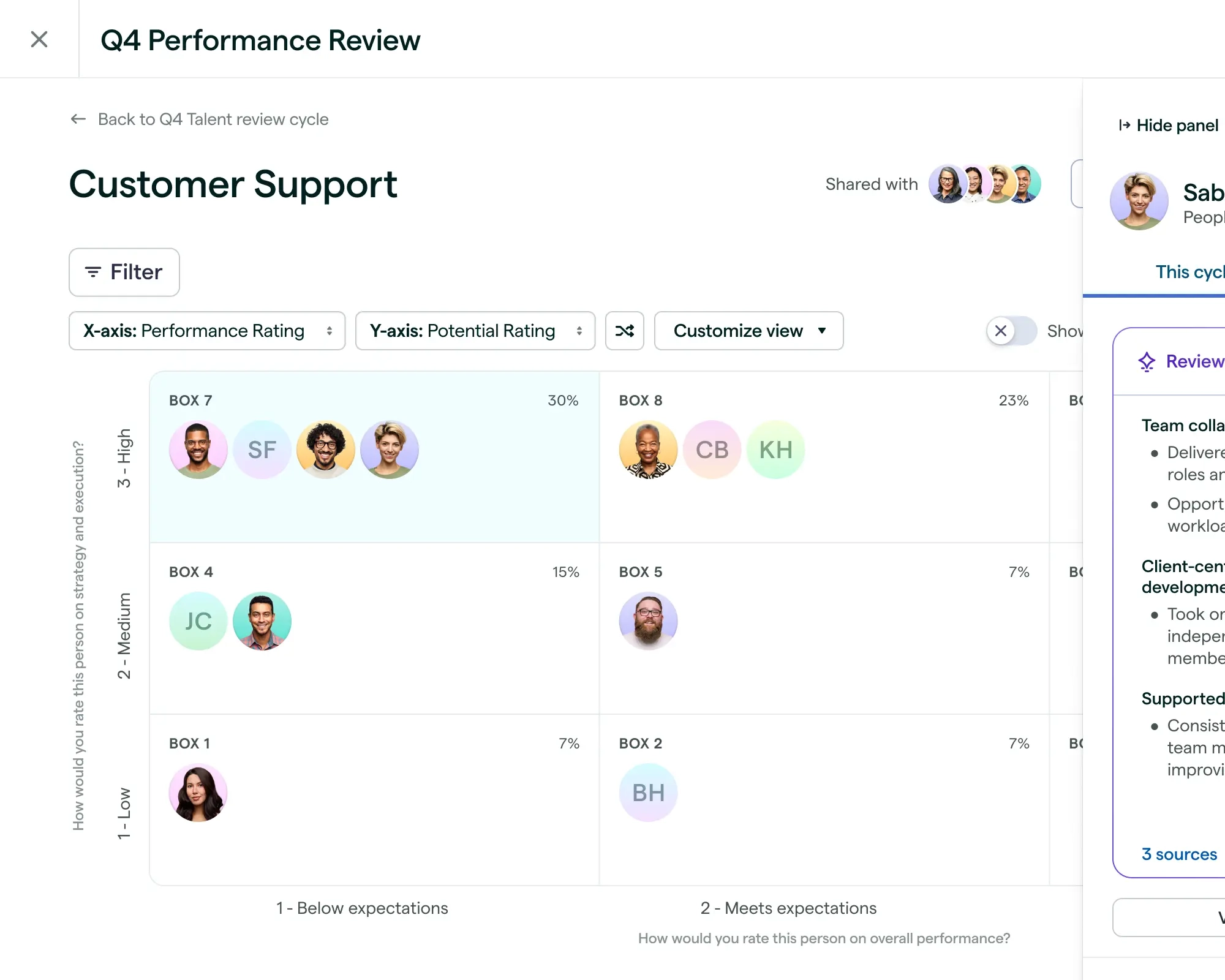
Image source: lattice.com
Lattice is best for mid-market teams focused on continuous feedback, goal alignment, and performance management. It stands out because it compresses weeks of performance review synthesis into minutes.
Running a comprehensive 360-degree review cycle is historically painful. Managers drown in survey comments, making it difficult to spot genuine trends. Lattice attacks this specific bottleneck directly. It uses natural language processing to synthesize hundreds of feedback comments into clear themes instantly, allowing managers to write accurate, data-backed reviews in a fraction of the time.
Beyond just performance reviews, the platform tracks Objectives and Key Results (OKRs) alongside employee engagement data. This means HR leaders can spot engagement dips in real-time, long before they escalate into actual attrition. For those seeking top AI tools for HR professionals that handle the post-hire lifecycle, Lattice provides incredible visibility into workforce health.
Pros & Cons:
- Exceptional at synthesizing massive amounts of qualitative feedback.
- Ties daily performance and engagement directly to company OKRs.
- Provides early warning signs for employee disengagement.
- Does not include an applicant tracking system (ATS) or recruiting tools.
- Pricing sits at a premium tier compared to basic HRIS systems.
Pricing:
Foundations: $11 seat/month
Enterprise: Contact sales
5. HiBob: People analytics
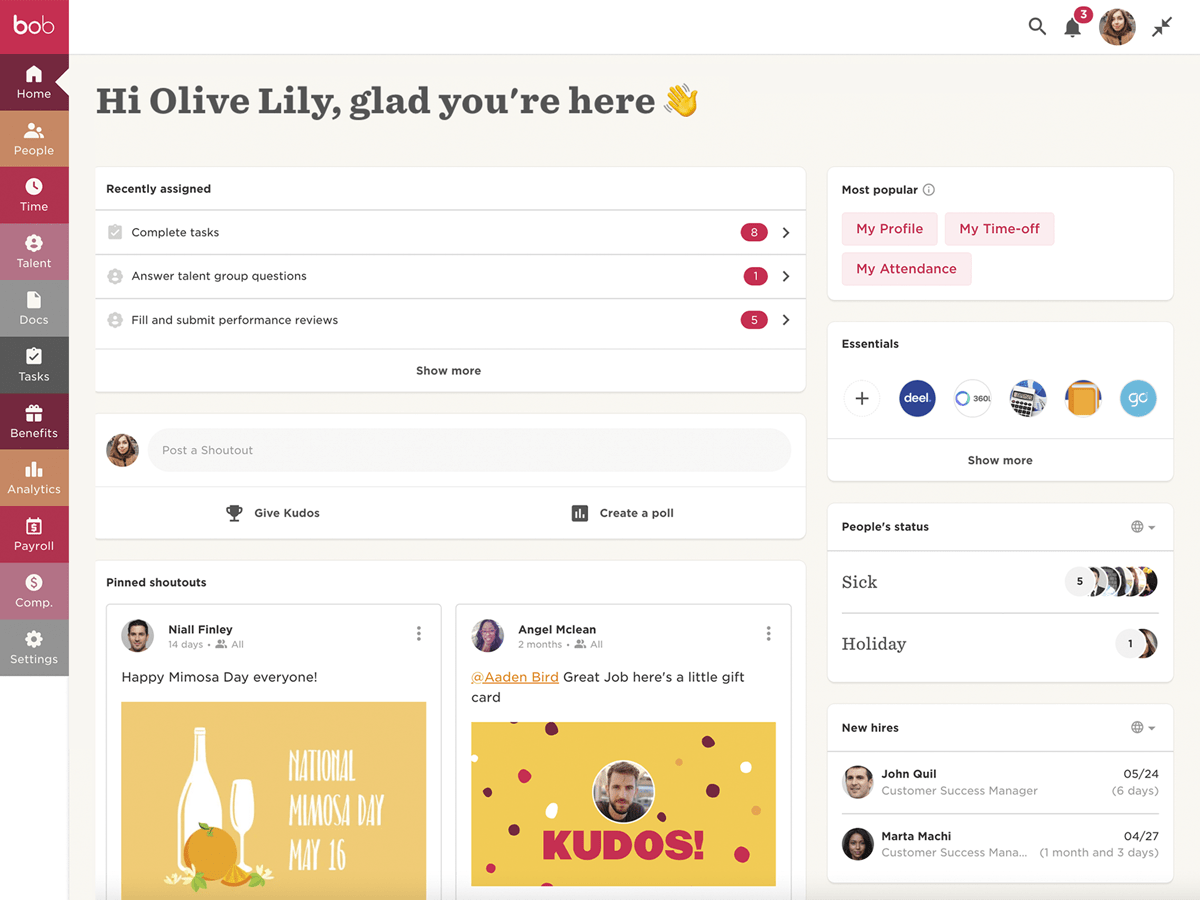
Image source: harmonyhr.org
HiBob is best for scaling mid-size companies that need clear visibility into attrition risks and core HR operations. It excels with its predictive analytics and highly approachable user interface.
When HR teams scale rapidly, they often lose track of individual employee sentiment. HiBob brings this data back to the surface. By tracking compensation, tenure, and development velocity, the platform categorizes employees by attrition risk, giving leadership a clear map of where interventions are needed.
Additionally, the platform includes a conversational assistant that allows HR leaders to query their data naturally. Instead of exporting CSV files to build pivot tables, you can simply ask the system about turnover trends in specific departments. It manages the core HR lifecycle—from automated onboarding milestones to time-off management—making it a strong foundational system for growing organizations.
Pros & Cons:
- Clear predictive modeling for employee flight risks.
- Conversational data queries eliminate the need for complex reporting skills.
- Highly intuitive interface drives strong employee adoption.
- Lacks deep, specialized recruiting automation tools.
- The extensive feature set presents a learning curve for smaller administrative teams.
Pricing: Contact sales for customized deployment pricing.
6. Leena AI: HR self-service
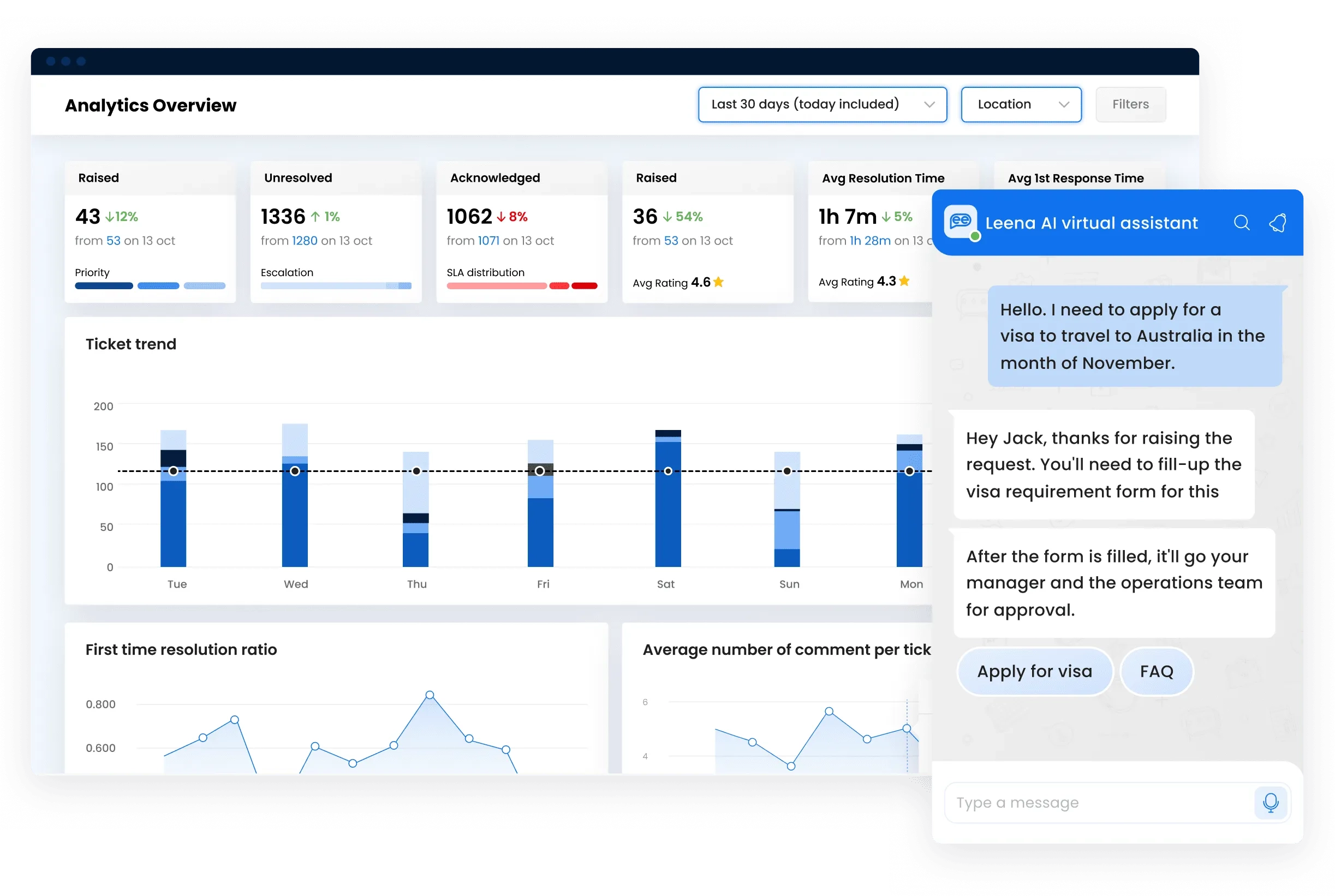
Image source: leena.ai
Leena AI is best for organizations looking to deflect routine HR helpdesk tickets via automated self-service. It stands out for its ability to drastically cut the time HR spends answering basic policy questions.
HR professionals waste countless hours acting as a manual search engine for company policies. Leena AI deploys a 24/7 chatbot designed specifically to handle these repetitive inquiries. By integrating directly with your existing knowledge base and HRIS, it can instantly tell an employee their exact PTO balance or guide them through the benefits enrollment process.
This targeted approach to AI tools for HR automation is highly cost-effective. Because it deflects the majority of standard questions, your human team only needs to step in for complex, nuanced employee relations issues. It acts as the first line of defense, making the HR department look highly responsive without burning actual staff hours.
Pros & Cons:
- Massively reduces repetitive operational HR support tickets.
- Available 24/7, providing instant answers for a global workforce.
- Cost-effective way to scale support without adding headcount.
- It is strictly a chatbot interface; it relies heavily on your core HRIS for data.
- Performance is entirely dependent on how well your internal policies are documented.
Pricing: Contact sales for deployment estimates.
7. Moveworks: Enterprise IT/HR chatbot
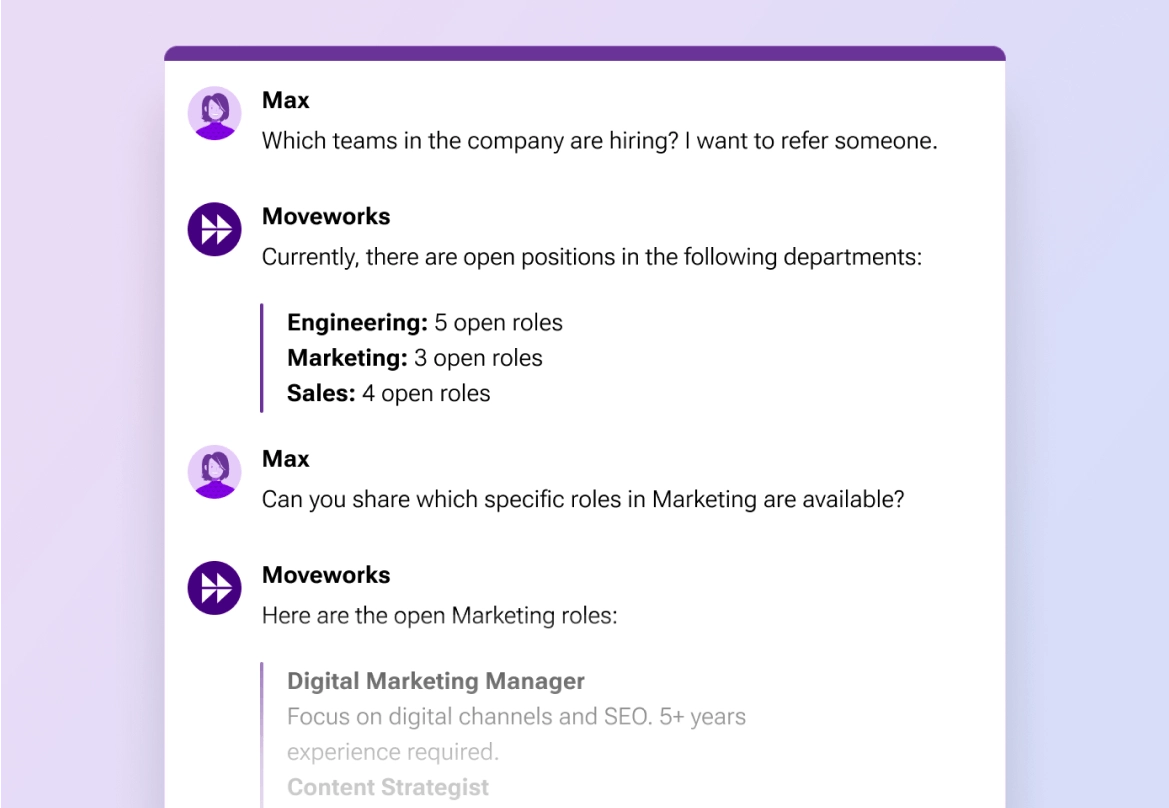
Image source: moveworks.com
Moveworks is best for global enterprises that need a highly sophisticated, autonomous support agent across IT and HR. It stands out because of its massive multilingual support and ability to actually execute tasks.
While many chatbots simply point employees toward a wiki article, Moveworks takes autonomous resolution further. By integrating deeply with complex enterprise backends like SAP, Workday, and Okta, the system can actually complete tasks on the employee's behalf—such as officially submitting a time-off request or updating direct deposit information.
Its natural language processing engine supports over 100 languages. If an employee in France asks a complex payroll question in French, the system comprehends the nuance and resolves the issue natively. For massive organizations looking for enterprise-grade ai tools for HR management, this level of automation drives immediate ROI by cutting helpdesk overhead.
Pros & Cons:
- True autonomous task execution, not just article routing.
- Exceptional multilingual support for international corporations.
- Deep, secure integrations with legacy enterprise systems.
- High cost barrier makes it suitable only for large enterprises.
- Implementation requires heavy IT involvement and several months to deploy.
Pricing & Free Plan: Contact sales for enterprise pricing.
8. Workday: Enterprise HCM
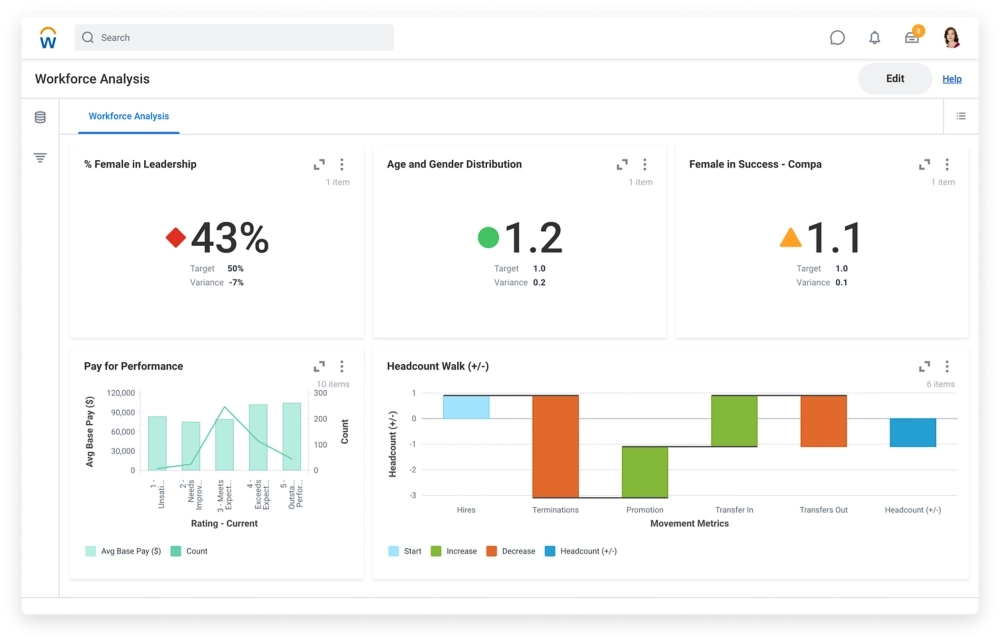
Image source: workday.com
Workday is best for large enterprises committed to a single, comprehensive Human Capital Management (HCM) infrastructure. It stands out by embedding machine learning directly into its core architecture rather than bolting it on as an afterthought.
Fragmented data is the enemy of enterprise HR. Workday solves this by acting as the unified system of record for everything from recruitment to payroll. The platform natively embeds intelligent features across its entire suite. It maps internal skills, recommends internal mobility paths, and actively flags compensation equity gaps across demographics.
Because all the data lives in one place, the predictive analytics are incredibly accurate. Business leaders report that this centralized approach to AI tools for HR professionals significantly improves workforce efficiency. It is a heavyweight solution designed for organizations that want strict compliance, global payroll, and advanced analytics in one unified platform.
Pros & Cons:
- A true single source of truth for all human capital data.
- Machine learning is natively embedded across recruitment, performance, and finance.
- Extremely high total cost of ownership.
- Notoriously steep learning curve for system administrators and end-users.
Pricing: Contact sales.
9. Paycor: Predictive HR analytics
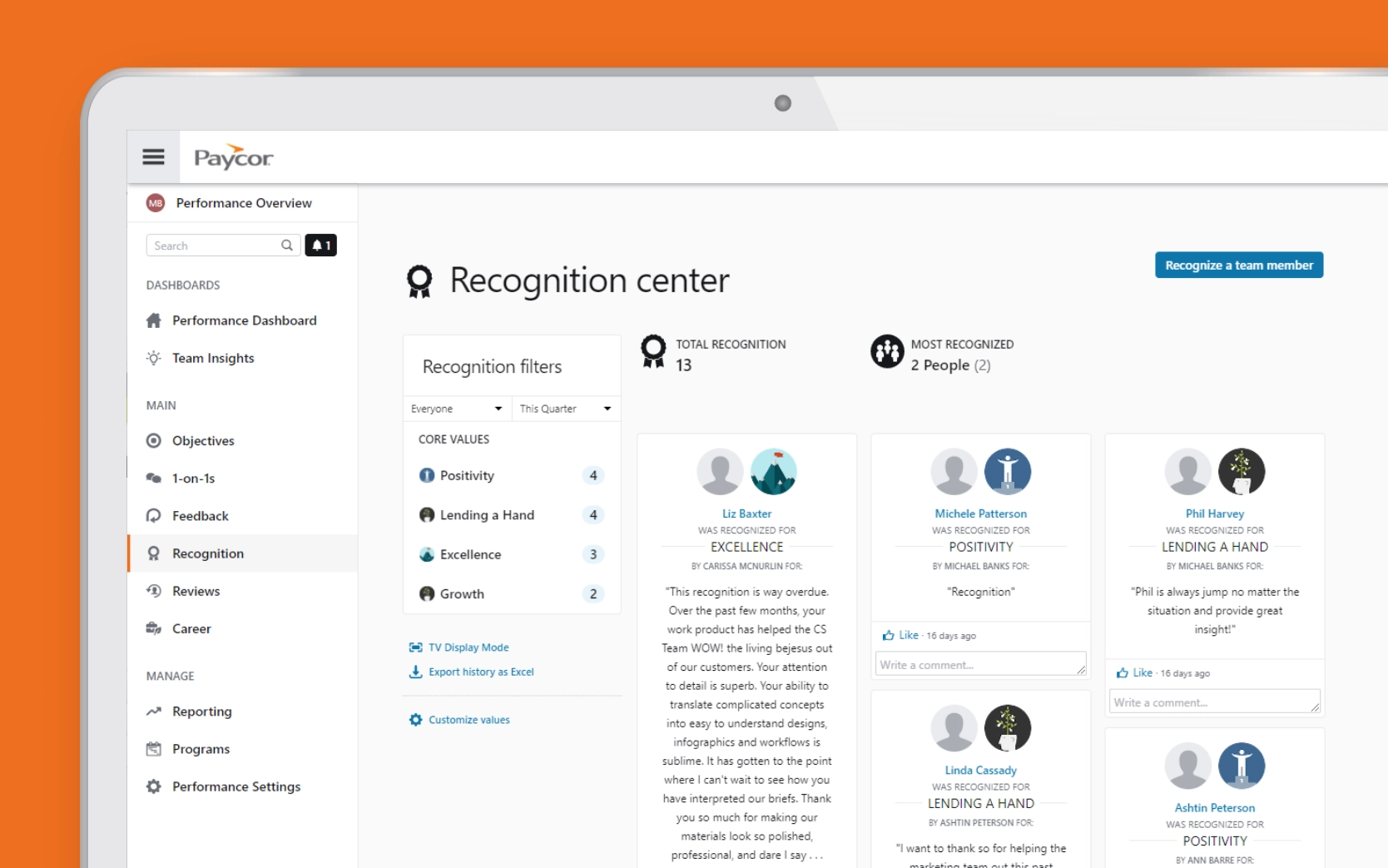
Image source: paycor.com
Paycor is best for mid-market teams leading with data-driven retention and compensation equity. It stands out with its powerful predictive analytics that require zero coding knowledge to use.
When HR teams need to justify budget or explain turnover, they need hard data. Paycor focuses heavily on surfacing this intelligence. The platform uses predictive models to forecast which employees are likely to leave in the next 12 months, detailing the specific factors driving that risk.
It also provides robust compensation modeling. If an HR leader wants to simulate a company-wide pay increase and forecast the total financial impact, the system handles the complex math instantly. By allowing users to ask questions in plain language, it democratizes data, allowing HR partners to act as strategic advisors without needing a background in data science.
Pros & Cons:
- Highly accurate predictive turnover forecasting.
- Excellent compensation modeling and pay equity analysis.
- Natural language queries make complex data accessible.
- Does not offer specialized recruitment or ATS functionalities.
- The user interface can feel somewhat dated compared to newer startups.
Pricing: Contact sales for custom quotes.
10. BambooHR: SMB HRIS
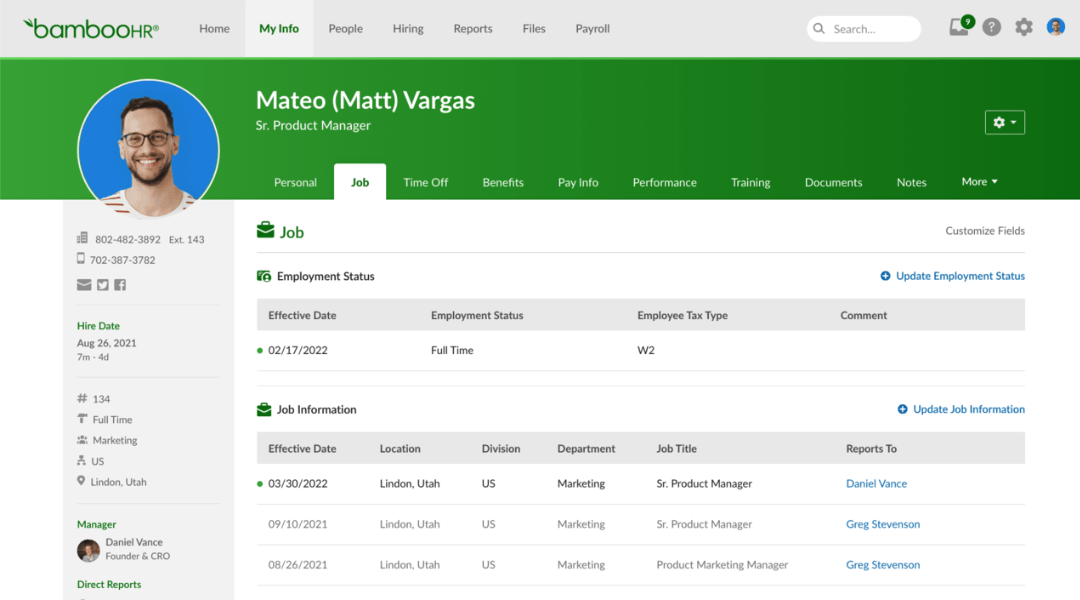
Image source: perk.com
BambooHR is best for small to medium businesses wanting an accessible, all-in-one HRIS to escape spreadsheets. It stands out by making core HR operations simple and affordable.
For companies with 50 to 500 employees, adopting massive enterprise software is overkill. BambooHR hits the sweet spot by consolidating employee records, basic performance management, and onboarding into one highly intuitive system. Recently, it has integrated intelligent reporting that automatically generates insights on turnover and basic pay anomalies by role and experience.
While it may lack the predictive depth of Workday or the advanced feedback synthesis of Lattice, it covers the fundamental bases exceptionally well. It acts as the perfect entry point into AI tools for HR management for smaller teams looking to establish a solid operational baseline without breaking the budget.
Pros & Cons:
- Highly affordable and easy to justify for small business budgets.
- Incredibly intuitive user interface requiring almost no training.
- Consolidates core HR, reporting, and onboarding efficiently.
- Advanced analytics and AI features are less sophisticated than premium competitors.
- Limited customization options for highly complex organizational workflows.
Pricing & Free Plan: Contact sales for SMB-friendly pricing tiers.
Moving beyond the feature list
Reviewing these ten platforms reveals a distinct divide in the market. On one side, you have powerful, narrow point solutions (like Eightfold or HireVue) that solve one specific problem exceptionally well. On the other side, you have unified workspaces (like Lark) and massive HCMs (like Workday) designed to centralize operations. While it is tempting to cherry-pick the "best" individual tool for every single sub-function of HR, that approach often leads to a severe operational trap. Before making any purchasing decisions, we must evaluate the actual cost of how these tools interact with each other.
Why unified platforms beat tool sprawl
Adding software indiscriminately often feels like progress, but it rarely is. The core problem with building a massive tech stack is that while specialized applications promise expert-level features, they extract an incredibly high toll in operational friction.
Let’s look at the math behind the chaos. When you purchase five distinct tools, you are effectively buying five separate learning curves, five different login protocols, and five potential failure points for data synchronization.
Consider the stark contrast between a unified ecosystem and a highly fragmented stack:
- Implementation timeline: A unified workspace typically deploys in days or weeks because everything is native. Patching together five distinct systems via APIs regularly stretches into three to four months of heavy IT negotiation.
- Data integrity: A unified platform operates on a single source of truth. A fragmented stack means your headcount might show as 150 in your HRIS, 147 in your payroll system, and 155 in your performance software. HR professionals then waste 5% to 10% of their week just reconciling these spreadsheets.
- Context switching: When using a unified platform like Lark, an HR manager can review a candidate's resume, message the hiring manager, and trigger an automated approval workflow—all without leaving the application. In a fragmented stack, that same sequence requires toggling between an ATS, an email client, and an e-signature tool, breaking focus and slowing momentum.
Does a highly fragmented stack ever make sense? Yes, but only under highly specific conditions. If your organization requires deep, expert-level functionality that extends far beyond standard operations—such as needing Eightfold specifically for high-volume technical recruiting—then a multi-tool setup is justified. Even then, the most effective strategy is to anchor your operations on a unified base.
As a general rule, avoid the promise of a five-to-seven application "best practice" setup. It almost always leads to integration hell.
Suggested architecture models
To avoid the nightmare of tool sprawl, I always advise building your tech stack around a strong, unified core rather than piecing together standalone apps. Here is how I structure realistic configurations depending on your needs:
- The Unified Baseline (Highly Recommended): Anchor your entire HR operation on Lark. By centralizing your team's chat, policy wikis, video interviews, and approval workflows in one digital workspace, you eliminate the need for three to four separate subscriptions. For growing teams, this approach prevents software fragmentation before it starts, and its Starter plan acts as one of the most robust free AI tools for HR available.
- The "Core + Specialist" Model: If your organization requires deep functionality in one specific area, maintain Lark as your unified daily workspace and run just one specialist tool alongside it—without forcing an expensive custom API integration. For example, your team might use Eightfold strictly as a standalone engine for talent sourcing and capability matching. But the moment a candidate moves forward, the entire workflow—interview coordination, hiring manager discussions, offer approvals, and employee onboarding—happens entirely within Lark. This keeps your stack lean while retaining high-end capabilities.
- The Enterprise Heavyweight: Massive, legacy corporations often rely on a system like Workday for global payroll and compliance, occasionally layering on a tool like Paycor for predictive analytics. However, for teams moving fast, this level of complexity usually slows down daily HR agility.
Design your custom HR architecture with Lark
How to choose: A 5-step framework
Selecting the right software should never be an emotional decision based on a slick vendor demo. When evaluating the best AI tools for HR, follow this structured approach to ensure you solve your bottlenecks without accidentally complicating your workflow.
Step 1: Map your actual bottlenecks
Look back at the critical challenges discussed earlier. Which operational flaw is currently causing your team the most pain?
- If your team spends hours every week jumping between a messaging app, a separate document drive, and a disconnected approval system, your absolute priority is consolidation. This is exactly where a unified platform like Lark outperforms standalone AI tools for HR professionals, because it merges communication and HR workflows into a single interface.
- If your primary issue is massive candidate volume at the top of the funnel, you might need a targeted recruitment specialist like HireVue.
- If you are losing top performers unexpectedly, you need predictive modeling tools.
Step 2: Audit your stack before adding to it
Before purchasing a new point solution for a specific HR problem, ask yourself: Do we actually need anew application, or do we just need a smarter workspace? Often, companies buy a dedicated onboarding app when a simple, automated workflow built inside Lark could accomplish the exact same task without requiring employees to learn a new login. Always attempt to solve the problem within a unified suite first.
Step 3: Define your success metrics upfront
Do not accept vague goals like "better efficiency." When adopting AI tools for HR management, establish hard metrics. For example: "We will reduce our onboarding paperwork time from 4 hours to 30 minutes," or "We will cut our total HR software subscription spend by 40% by consolidating our messaging and approval apps."
Step 4: Pilot with a contained workflow
Never roll out a massive system overhaul company-wide on a Monday morning. Test the software on one specific process first. For instance, pilot an automated candidate approval sequence using Lark's strictly with your engineering hiring team. Measure the adoption rate, track the actual hours saved in context-switching, and gather candid feedback before scaling it across the organization.
Step 5: Conduct a responsible AI audit
This step is non-negotiable. Before finalizing any vendor, you must ask hard questions: Do you actively test your algorithms for bias? Who exactly reviews the machine's decisions? Whether you are looking at AI tools for HR automation or predictive analytics, ensure the vendor provides clear, transparent data practices and allows your human HR team to easily override automated suggestions.
Conclusion
Adopting AI in HR is no longer optional, but your choice of architecture dictates your success. Adding more software simply creates more friction. The key takeaway is to stop piecing together fragmented applications and start building on a unified foundation.
By anchoring your operations on a comprehensive platform like , you can centralize communication, approvals, and workflows in one place. Only add specialized point solutions when absolutely necessary. The future of HR belongs to teams that use intelligent, consolidated workspaces to eliminate administrative clutter, finally freeing them to focus entirely on their people.
Start automating your HR workflows instantly
FAQ
Don't these tools just perpetuate existing biases?
They absolutely can if they are trained on flawed historical data. However, when engineered responsibly, they actually reduce bias. For example, systems that score candidates based on verified skills rather than pedigree help remove human prejudice from the initial screening phase. The best practice is to mandate a bias audit from your vendor and ensure a human is always in the loop for final decisions.
What is the realistic ROI timeline?
It varies entirely by the tool's function. Quick wins usually happen within the first three months; deploying an automated chatbot can immediately drop your helpdesk ticket volume. Medium-term returns, like improving manager confidence through automated feedback synthesis, typically materialize in six to nine months. Long-term returns, such as seeing a measurable drop in employee turnover due to predictive analytics, compound over 12 months or more.
My company only has 50 people. Do I really need this?
Yes, but you should scale appropriately. A five-person HR team armed with smart automation can handle the workload of a much larger department without requiring additional headcount. Start small with a lean HRIS like BambooHR or use a unified workspace like Lark to handle approvals and basic queries. You can layer on specialized recruiting or analytics software in your second or third year of growth.
Should I pay to integrate multiple point solutions?
Most major platforms offer open APIs, and custom integration projects usually cost between $5,000 and $15,000, taking four to six weeks to complete. Frankly, it is rarely worth the investment unless you are solving a highly specific, high-value data problem. If you find yourself spending more than $10,000 just to force three different applications to talk to each other, you should strongly reconsider moving to a unified platform instead.
What happens if the software makes a wrong decision?
Intelligent software should function as an advisor, never as the final decision-maker. If an algorithm flags a candidate as a poor fit, a recruiter should still have the ability to review that profile. If the system predicts an employee is a flight risk, the manager must use human empathy to investigate during a one-on-one meeting. The technology surfaces the pattern; your team makes the call.
How does this affect compliance and auditing?
Legitimate platforms maintain rigorous audit trails. They log exactly why a specific recommendation was made (e.g., "Score: 0.87 based on verified skills X, Y, and Z") and record which human user ultimately approved or overrode the decision. If a vendor cannot provide a clear, exportable audit trail of how decisions are shaped, do not buy their product.
Related reading






























