














Customer Data Analysis Guide: 10 Best Tools to Use Now

Ryan Tanner
Product Marketing Specialist
Sep 18, 2026
Ryan Tanner
Sep 18, 2026

21 min read


Success in today's competitive market depends on how well you understand your customers. Customer data analysis helps businesses transform behavior, feedback, and transaction data into actionable insights for smarter growth. By examining behavioral, transactional, engagement, and sentiment data, companies can uncover patterns, anticipate needs, and optimize customer experiences. Various tools—from Lark, Google Analytics 4, and Mixpanel to Hotjar and Amplitude—enable teams to track interactions, segment users, and generate actionable insights.
In this guide, we explore the types and dimensions of customer data, outline a step-by-step analysis framework, highlight best practices, and review the top platforms that help businesses leverage data effectively:
1. Lark: Best platform for collaborative customer data analysis
2. Mixpanel: Advanced customer data analytics for growth teams
3. Google Analytics 4: Essential web & app data insights
4. Amplitude: Real-time customer insights for product teams
5. Hotjar: Visual customer data analysis made simple
6. Thoughtspot: AI-driven customer data analysis platform
7. Zendesk Explore: Customer support analytics that matter
8. Woopra: Real-time customer journey data platform
9. Qualtrics XM: Sentiment & experience analytics for enterprises
10. Userpilot: In-app customer data & experience analytics
Quick preview of the 10 best customer data analysis tools

Types and dimensions of customer data you can collect
Effective customer data analysis starts with knowing what data to gather. Collecting the right types of data allows businesses to understand the behaviors, preferences, and potential future actions of their customers.
- Behavioral / usage data
Behavioral data tracks how customers interact with your website, app, or digital services. This includes clicks, session duration, feature usage, and funnel paths. Analyzing this data helps identify bottlenecks, popular features, and opportunities to improve the user experience.
- Demographic and profile data
Demographic data provides insights into who your customers are, including age, location, income, preferences, and account attributes. This information enables targeted marketing, personalized experiences, and better segmentation strategies. Understanding profiles is essential for effective customer data analysis.
- Transactional/financial data
Transactional data covers purchases, spending patterns, frequency, and order sizes. Tracking this information helps businesses understand customer value, detect trends, and make pricing or product decisions. It also supports predictive modeling for future revenue.
- Engagement data
Engagement data measures interactions across channels, such as emails opened, campaigns clicked, support tickets submitted, and chat logs. This data reveals how actively customers interact with your brand and helps optimize communication strategies.
- Sentiment and feedback data
Sentiment and feedback data include reviews, surveys, social media mentions, Net Promoter Scores (NPS), and ratings. It captures customers' opinions and satisfaction levels, helping companies refine products, services, and support processes.
- Contextual and environmental data
Contextual data considers external factors like time, device, channel, and campaign source. By analyzing these variables, businesses can understand the conditions driving customer actions and optimize experiences across different touchpoints.
- Predictive / inferred data
Predictive data uses historical and behavioral information to forecast future actions, such as churn likelihood, lifetime value, and next-best-offer recommendations. Leveraging predictive insights enables proactive strategies and smarter decision-making.
What to look for in a customer analytics/data platform
Choosing the right platform is critical for effective customer data analysis. The ideal solution should enable timely insights, easy interpretation, and actionable decision-making while supporting business growth.
- Real-Time / low-latency data handling
Platforms should process data quickly to provide up-to-date insights. Real-time analytics allow businesses to respond immediately to customer behavior. This capability is crucial for monitoring campaigns and improving experiences dynamically.
- Ease of use / self-serve capabilities
A user-friendly interface empowers teams to explore data without heavy reliance on technical experts. Self-serve analytics accelerate decision-making and encourage widespread adoption. This reduces bottlenecks in customer data analysis processes.
- Data connectors
A good platform connects to multiple sources like CRM systems, marketing tools, and support platforms. Seamless access to diverse datasets ensures a comprehensive view of the customer. This enables more accurate and holistic analysis.
- Segmentation and cohort analysis
Advanced segmentation allows grouping customers by behavior, demographics, or value. Cohort analysis tracks change over time within these groups. These features are essential for targeted marketing and personalized customer experience.
- Predictive / ML features
Platforms with predictive modeling and machine learning capabilities can forecast trends, churn, or lifetime value. These insights help businesses take proactive action. AI-driven analysis enhances the accuracy and depth of predictions.
- Sentiment / text analytics support
The ability to analyze reviews, surveys, social media, or chat logs is essential. Sentiment and text analytics help uncover customer opinions, satisfaction, and emerging issues. These insights guide service improvements and strategic decisions.
- Visualization and dashboard flexibility
Flexible dashboards allow teams to create tailored visualizations of KPIs and metrics. Clear and interactive visuals simplify complex data. They support quicker understanding and communication of insights across the organization.
- Scalability, security, and compliance
The platform should grow with your business while ensuring data security and compliance with regulations like GDPR and CCPA. Scalable and secure platforms protect sensitive customer data. This builds trust and supports long-term adoption.
- Pricing model and total cost of ownership
Consider subscription costs, feature access, and maintenance when evaluating platforms. Transparent pricing ensures alignment with your budget and expected ROI. Understanding total cost helps businesses select sustainable solutions for customer data analysis.
Top 10 customer data analysis tools everyone should know
1. Lark: Best platform for collaborative customer data analysis
Unlike standalone analytics tools or spreadsheets, Lark brings together customer data tracking, collaboration, and workflow automation into one unified platform. With Lark Base, Calendar, Messenger, Docs, Forms, Sheets, Approval, and OKR, teams can monitor customer interactions, track engagement metrics, manage insights, and take action—all within the same workspace they already use for communication and project management. Below, we'll break down how Lark supports customer data analysis in practice, with real-world examples and a deep dive into its powerful features.
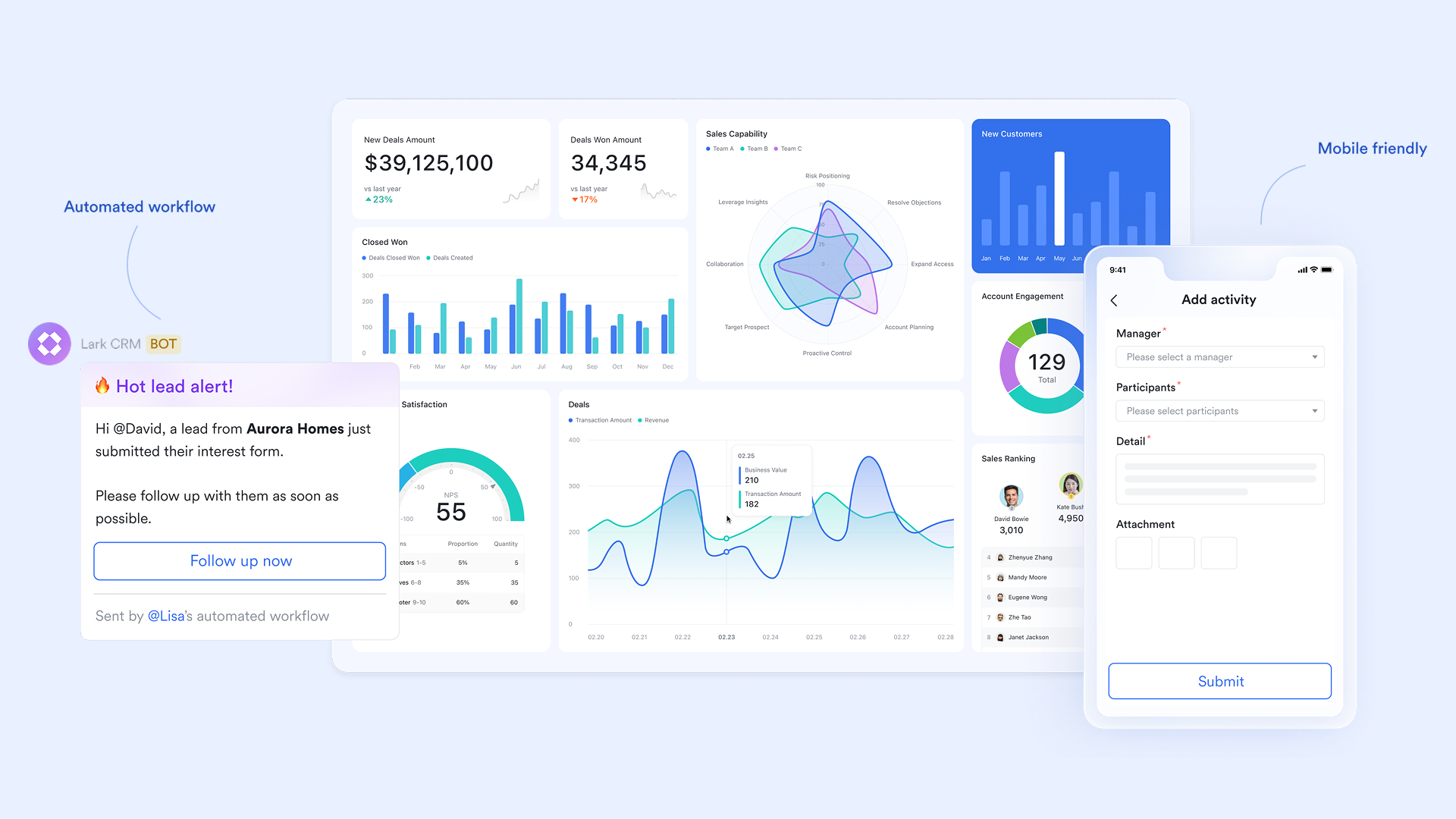
Unify client & project data with Lark Base
With Lark Base, teams can create structured customer data tables to capture interactions, engagement scores, survey results, purchase history, and campaign outcomes. These are dynamic, collaborative databases, not static spreadsheets.
- How it works: A customer success manager sets up a base table with columns for "Customer Name," "Engagement Score," "Churn Risk," "Last Interaction," and "Feedback Status." Team members across sales, marketing, and support can update entries, add notes, attach files, or comment directly.
- Example: A SaaS company logs support tickets, product usage metrics, and survey feedback in real-time. Marketing and success teams see insights instantly, enabling personalized outreach.
Features highlight:
- Multi-dimensional tables with linked records
- Customizable views: Kanban, Table, Calendar
- Real-time updates across all team members
- File attachments and inline comments
- Mobile-friendly access for field teams
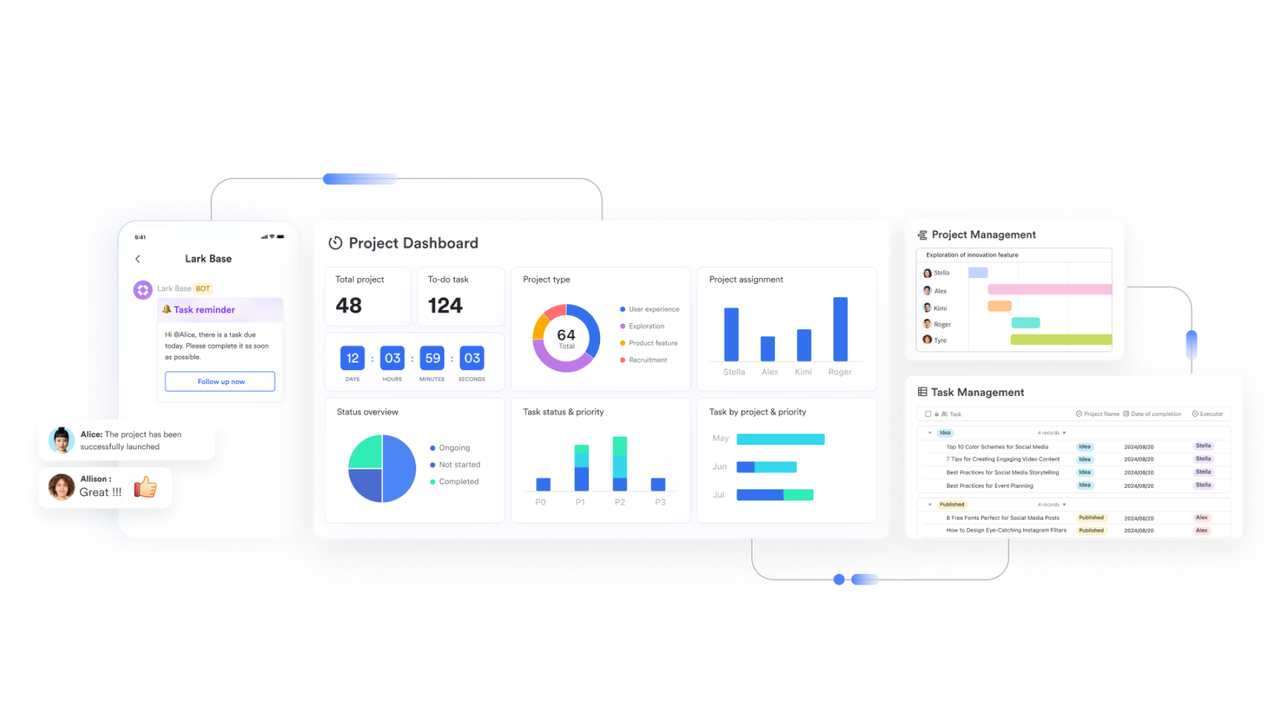
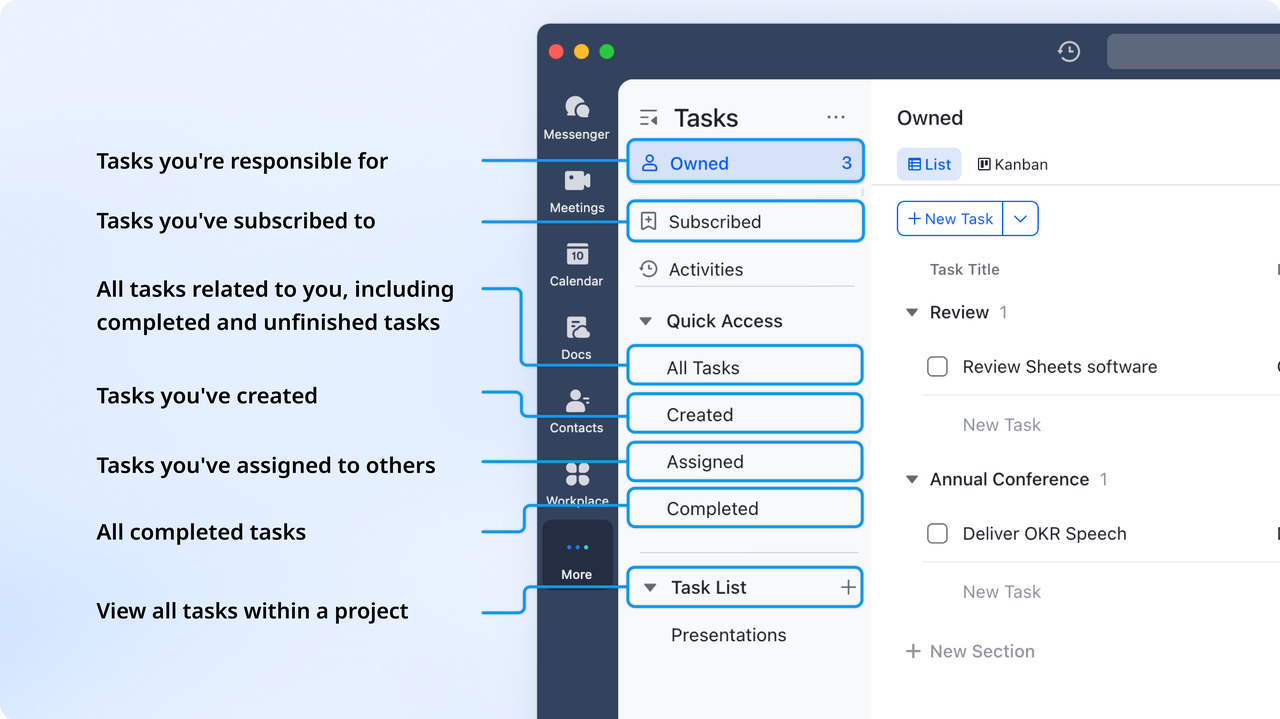
Track tasks and team performance with Lark Tasks
With Lark Tasks, teams can organize, assign, and monitor all customer-related activities in one collaborative workspace. Tasks ensure follow-ups, campaigns, and analysis projects stay on track.
- How it works: Team members create tasks linked to Base records, set deadlines, assign responsibilities, and track progress. Priority levels, checklists, and reminders help ensure nothing is missed.
- Example: A customer success team assigns follow-up tasks after NPS surveys. Each account manager sees their tasks, updates completion status, and adds notes on customer interactions.
Features highlight:
- Task creation with due dates and priorities
- Assign responsibilities to individuals or teams
- Progress tracking with checklists and statuses
- Automated reminders and notifications
- Mobile and desktop access for field and remote teams
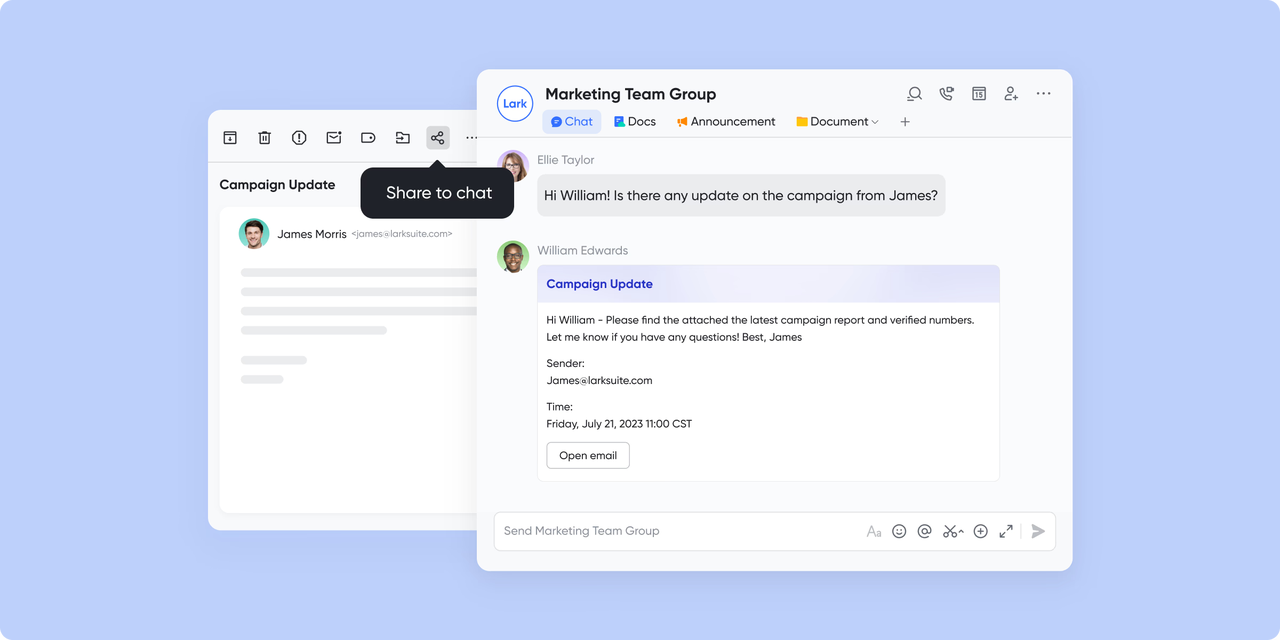
Gain communication insights with Lark Messenger
With Lark Messenger, teams communicate efficiently around customer data, sharing insights, dashboards, and updates in real time.
- How it works: Share Base tables, Sheets dashboards, and Forms results directly in chat channels. Tag team members and hold discussions or quick decision-making calls.
- Example: The CS team flags at-risk accounts in Messenger; a video call is scheduled to discuss retention strategies.
Features highlight:
- Channels, threads, and direct messaging
- Inline sharing of dashboards, Sheets, and Base tables
- Video calls and screen sharing
- Real-time commenting and notifications
- Mobile and desktop access
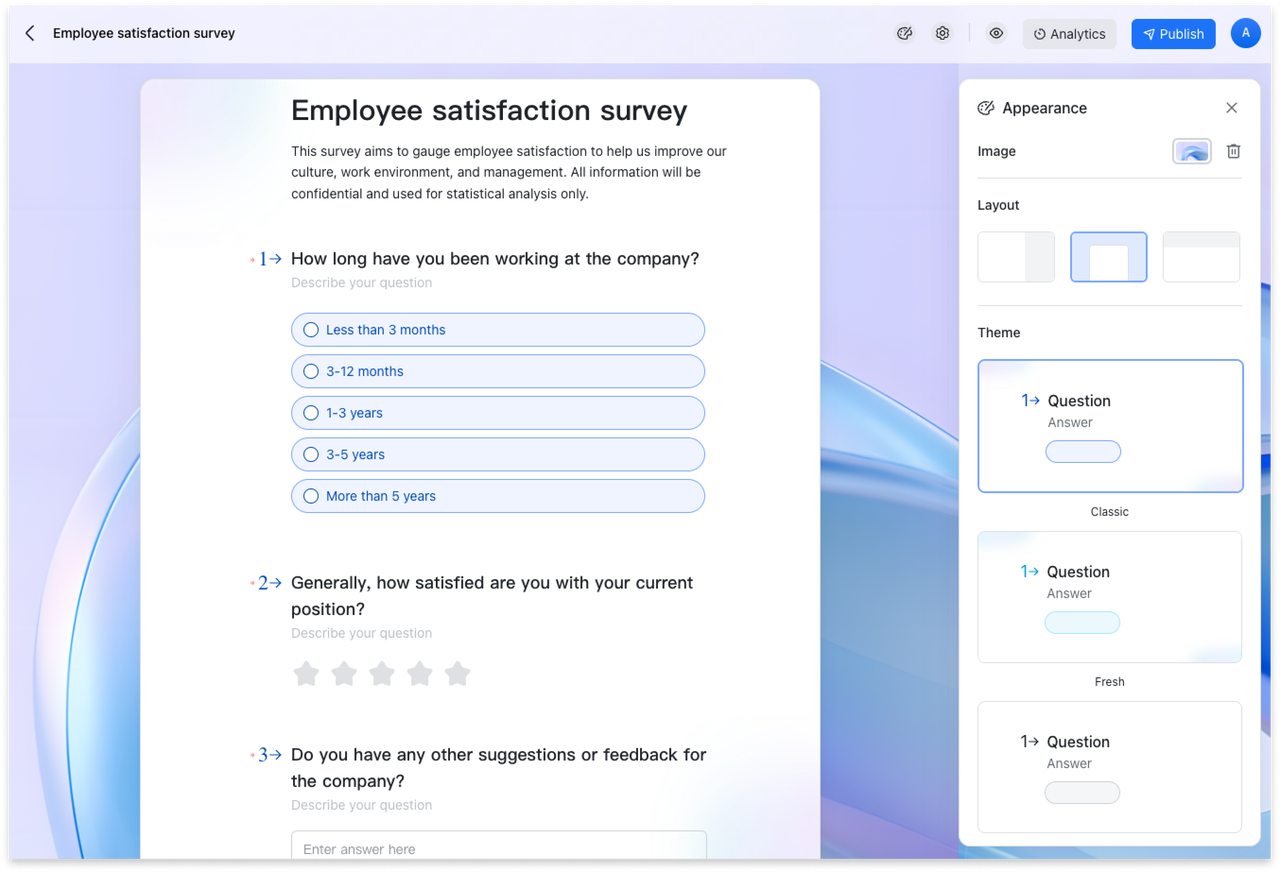
Collect actionable feedback with Lark Forms
With Lark Forms, teams collect, organize, and analyze customer feedback, service requests, and survey data in one place.
- How it works: Create branded forms for collecting insights from customers or internal teams. Responses automatically flow into Lark Base or Sheets for further customer data analysis and visualization. Teams can set notifications, automate approvals, or trigger workflows based on form submissions.
- Example: A customer success team uses Lark Forms to gather post-onboarding feedback, instantly syncing responses to a Base dashboard that tracks satisfaction scores and identifies areas for improvement.
Features highlight:
- Customizable templates for surveys and feedback
- Auto-sync with Lark Base
- Conditional logic and branching questions
- Real-time submission tracking and analytics
- Automated notifications and workflows
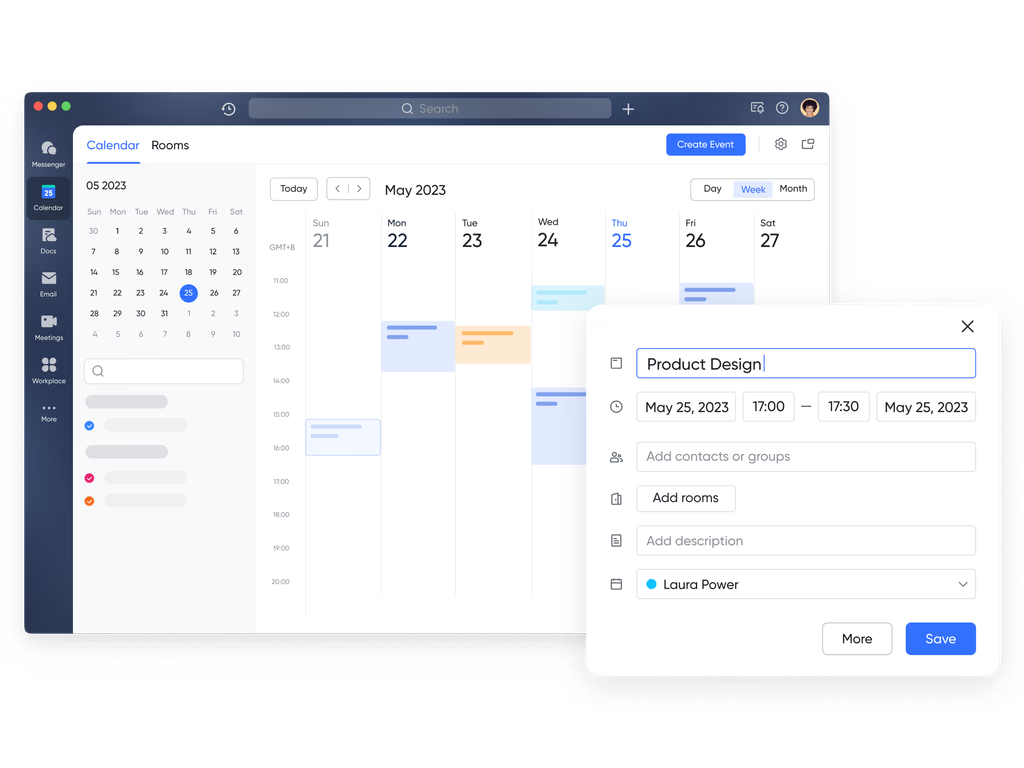
Optimize scheduling and resource planning with Lark Calendar
- How it works: Schedule calls, check-ins, or survey deadlines and link them to customer records in Base. Teams receive reminders and can visualize activities in daily, weekly, or monthly views.
- Example: Account managers schedule monthly check-ins with key clients; reminders and follow-ups are synced across the team.
Features highlight:
- Shared calendars for teams and projects
- Event linking with Base, Sheets, and Forms
- Automated reminders and notifications
- Daily, weekly, and monthly views
- Mobile access for field teams
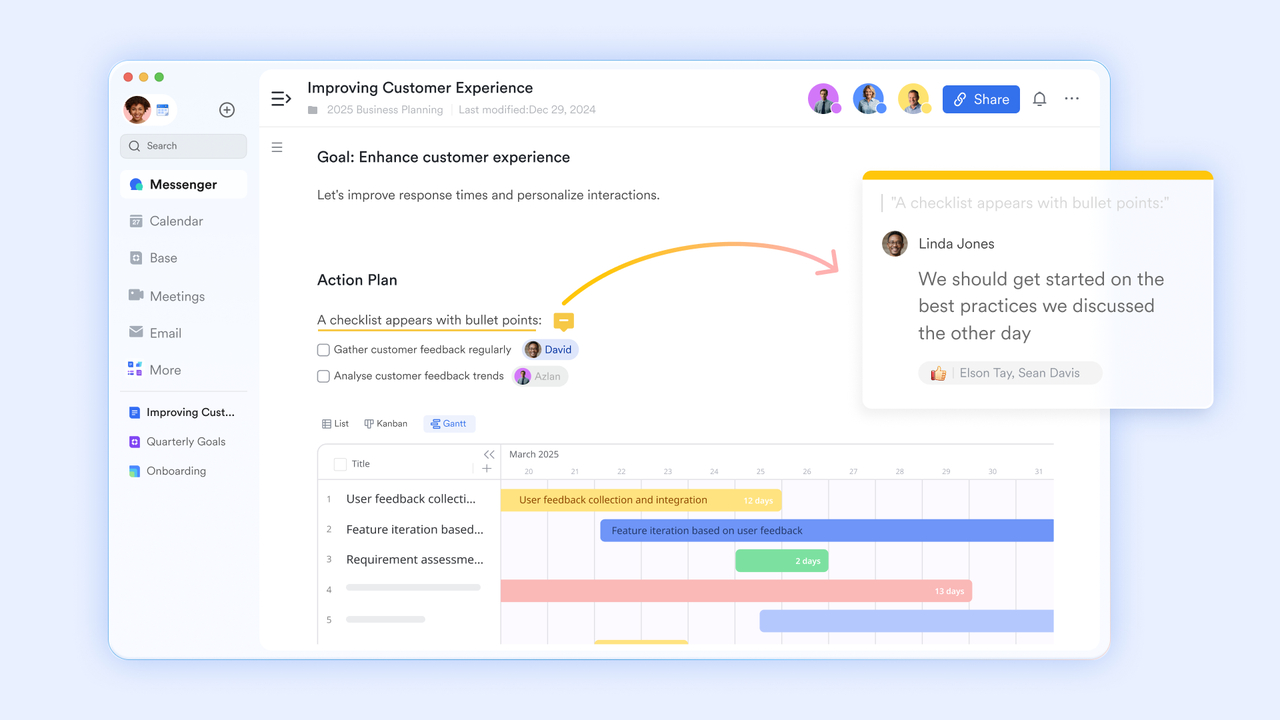
Analyze quotes, invoices, and documents with Lark Docs
With Lark Docs, teams create collaborative documents summarizing customer behavior, trends, and campaign outcomes.
- How it works: Teams link Base tables, Sheets dashboards, or Forms results directly into Docs. All members can edit simultaneously, leaving comments and notes inline.
- Example: A product team documents churn analysis findings and shares actionable insights with marketing and CS teams.
Features highlight:
- Real-time collaborative editing
- Embed Base, Sheets, and Forms data
- Rich text, images, and multimedia support
- Version control and permissions
- Inline comments and tagging
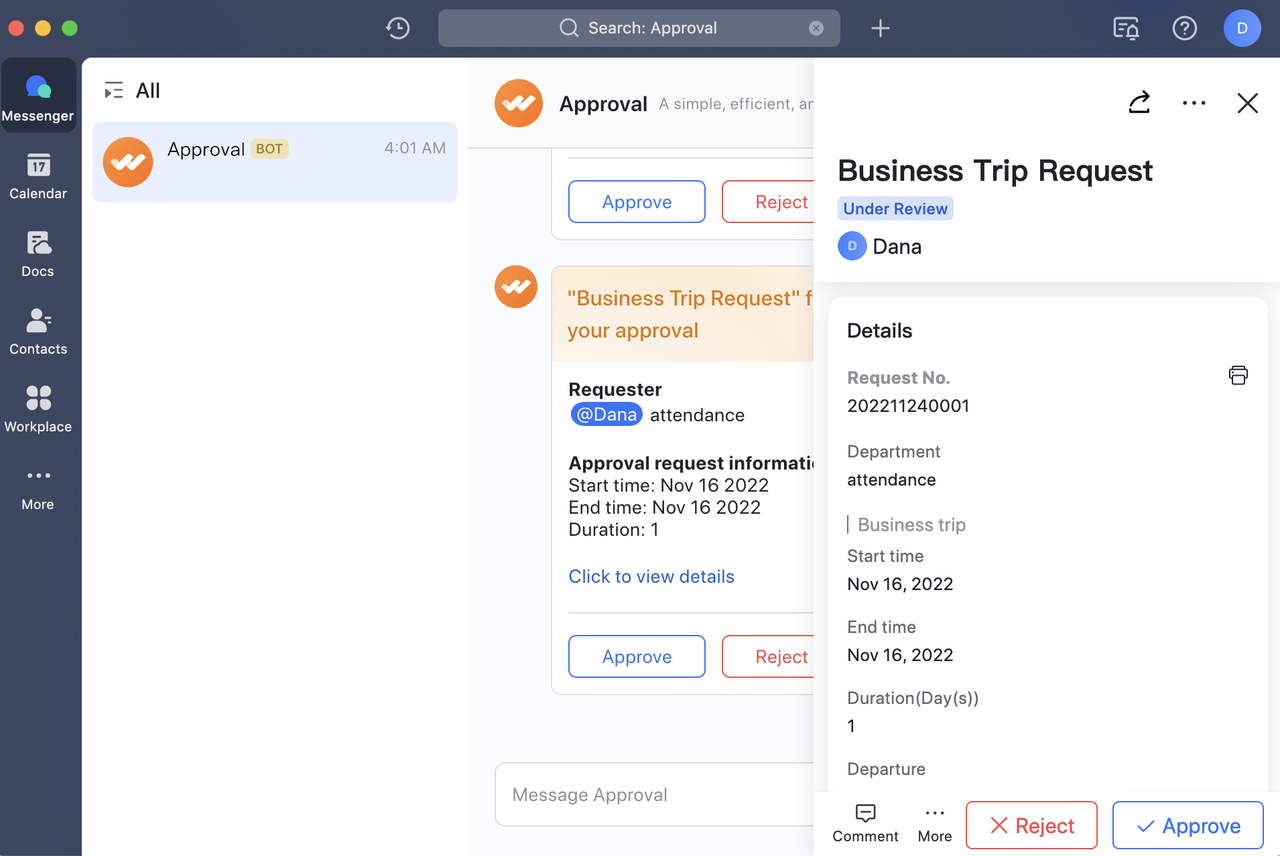
Automate workflows and track approvals with Lark Approval
- How it works: Proposals, campaign changes, or feedback-based actions trigger automated workflows. Notifications are sent via Messenger or mobile, and decisions are time-stamped and linked to records.
- Example: A marketing campaign adjustment based on NPS feedback is approved by managers across departments in minutes.
Features highlight:
- Multi-level automated approval flows
- Time-stamped audit trails
- Mobile-friendly approvals
- Instant notifications for stakeholders
- Starter plan: Free forever plan that includes 11 powerful tools for up to 20 users. It also comes with 100GB of storage, 1000 automation runs, AI translations, and more.
- Pro plan: $12/user/month (billed annually) for up to 500 users. It includes everything in Starter plus group calling for up to 500 attendees, 15TB of storage, 50,000 automation runs, and more.
- Enterprise plan: Contact sales for custom pricing. Supports unlimited users and includes even more automation runs and advanced security, compliance, and management features.
2. Mixpanel: Advanced customer data analytics for growth teams
Mixpanel is a powerful platform for customer data analysis, helping growth and product teams track user behavior, engagement, and retention in real time. Its event-based tracking and advanced analytics allow businesses to uncover patterns, optimize funnels, and make data-driven decisions that improve customer experience and growth outcomes.
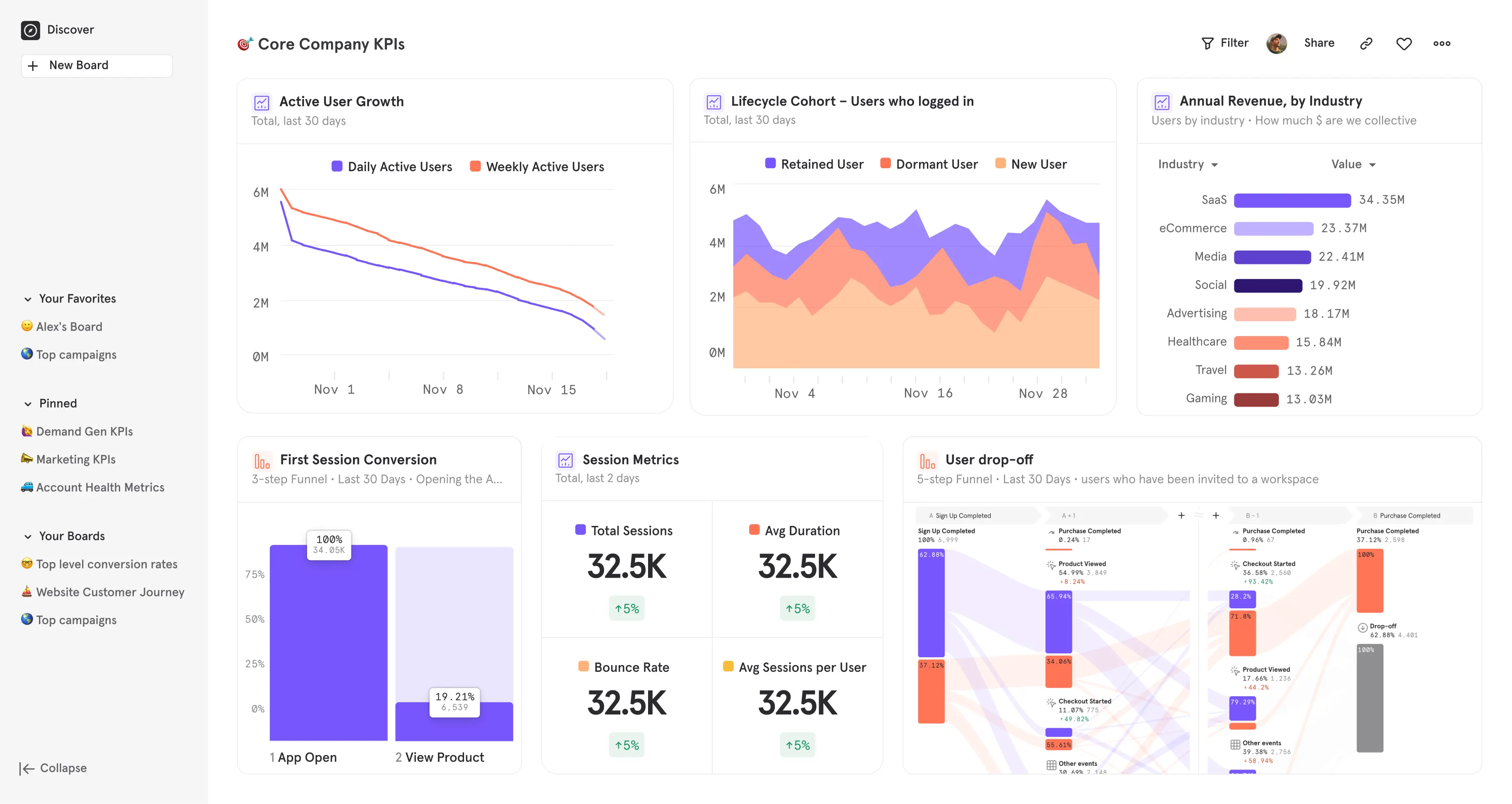
Image source: mixpanel.com
Key features:
- Funnel analysis for user journeys
- Retention tracking and cohort analysis
- A/B testing and experimentation
- Custom event tracking and dashboards
Advantages:
- Real-time behavior insights
- Powerful segmentation and cohort analysis
- Easy to track product usage trends
Disadvantages:
- It can be complex for beginners
- Limited free plan for large datasets
- Pricing can scale quickly for an enterprise
3. Google Analytics 4: Essential web & app data insights
Google Analytics 4 provides a comprehensive solution for customer data analysis across websites and mobile apps. By tracking user interactions, conversions, and traffic sources, teams can gain actionable insights that help optimize marketing campaigns, improve user experience, and drive better business results.
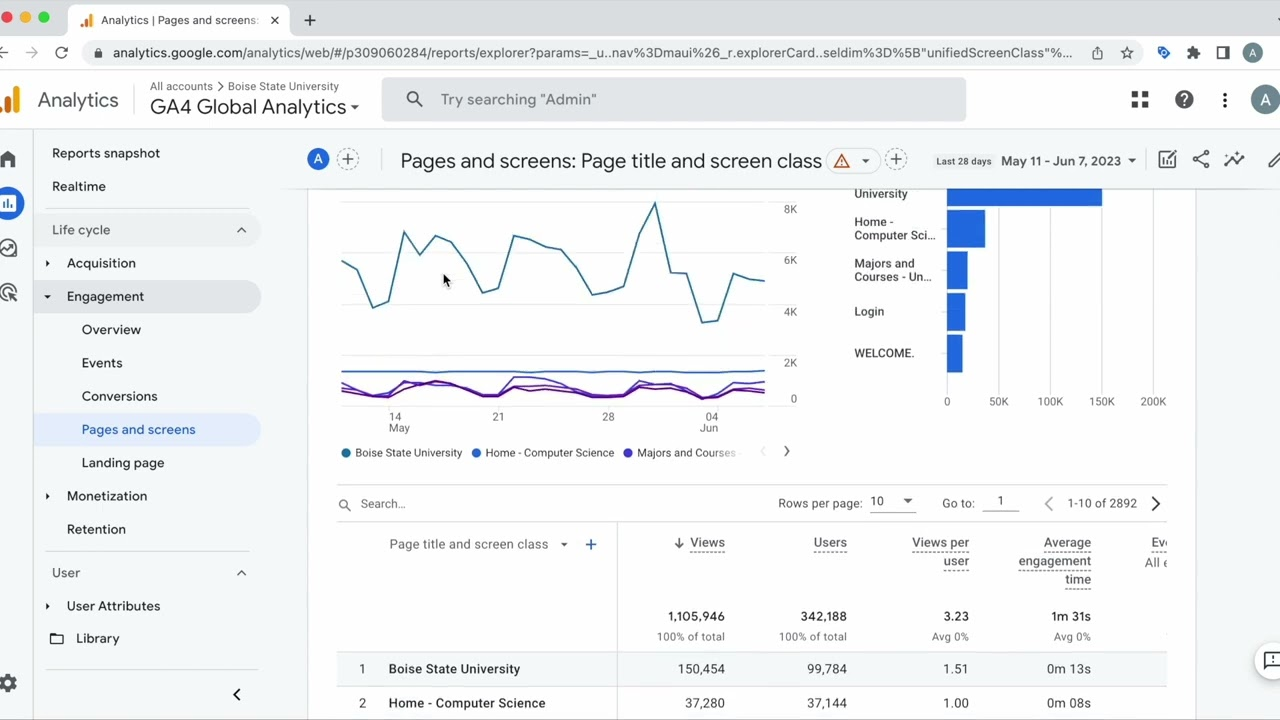
Image source: google.com
Key features:
- Event-based tracking across devices
- Predictive metrics and insights
- Funnel and path analysis
- Audience segmentation and reporting
Advantages:
- Free for most features
- Strong integration with the Google ecosystem
- Real-time reporting
Disadvantages:
- Steeper learning curve than previous GA versions
- Limited customization for the free plan
- Complex setup for cross-domain tracking
Note: For more information, you can refer to Google Workspace Pricing and Google Workspace alternatives.
4. Amplitude: Real-time customer insights for product teams
Amplitude offers robust customer data analysis tools for product teams, enabling businesses to track user engagement, adoption, and retention. By providing deep behavioral insights, Amplitude helps companies identify friction points, optimize product experiences, and deliver personalized interactions to improve overall satisfaction.
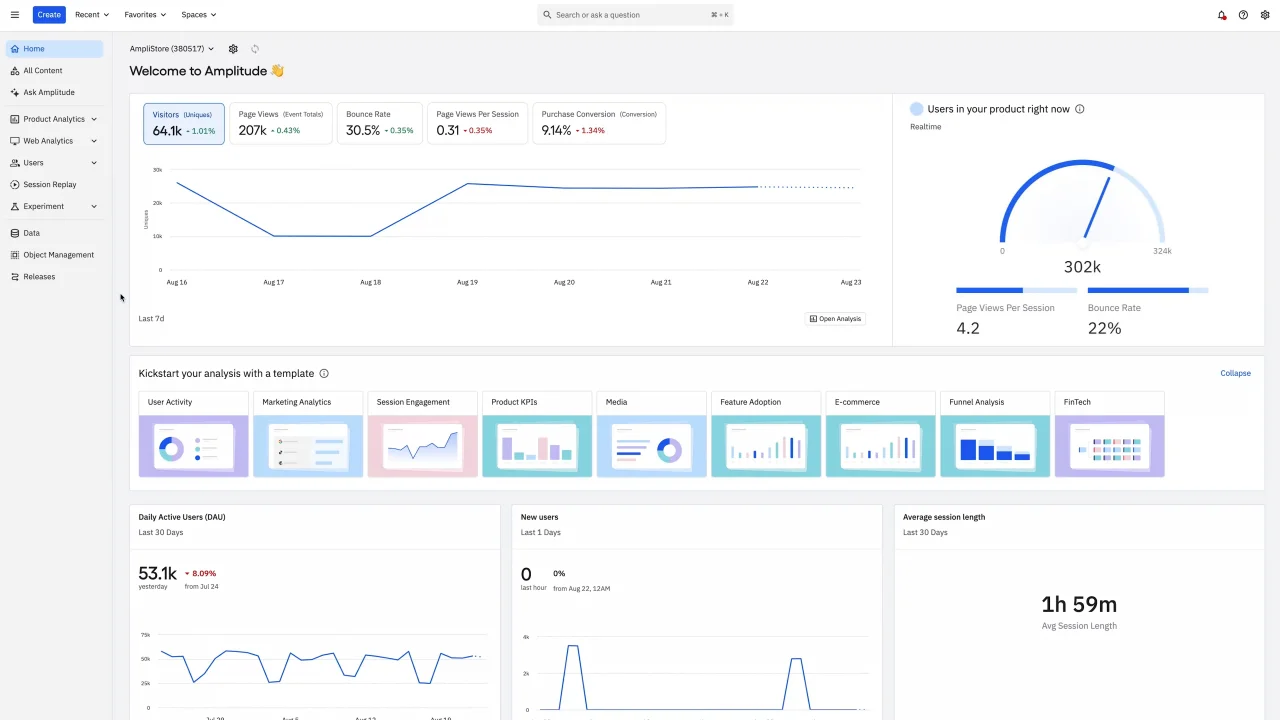
Image source: amplitude.com
Key features:
- Behavioral analytics dashboards
- Retention and churn tracking
- Product journey mapping
- A/B testing and experimentation
Advantages:
- Real-time insights into product usage
- Detailed cohort analysis
- Easy collaboration across teams
Disadvantages:
- It can be expensive for large teams
- Requires proper setup for event tracking
- Limited free plan for advanced features
5. Hotjar: Visual customer data analysis made simple
Hotjar is a visual analytics platform designed for customer data analysis, helping teams understand how users interact with websites and apps. By combining heatmaps, session recordings, and surveys, Hotjar makes it easier to identify pain points, improve UX, and make data-backed decisions that enhance the customer journey.
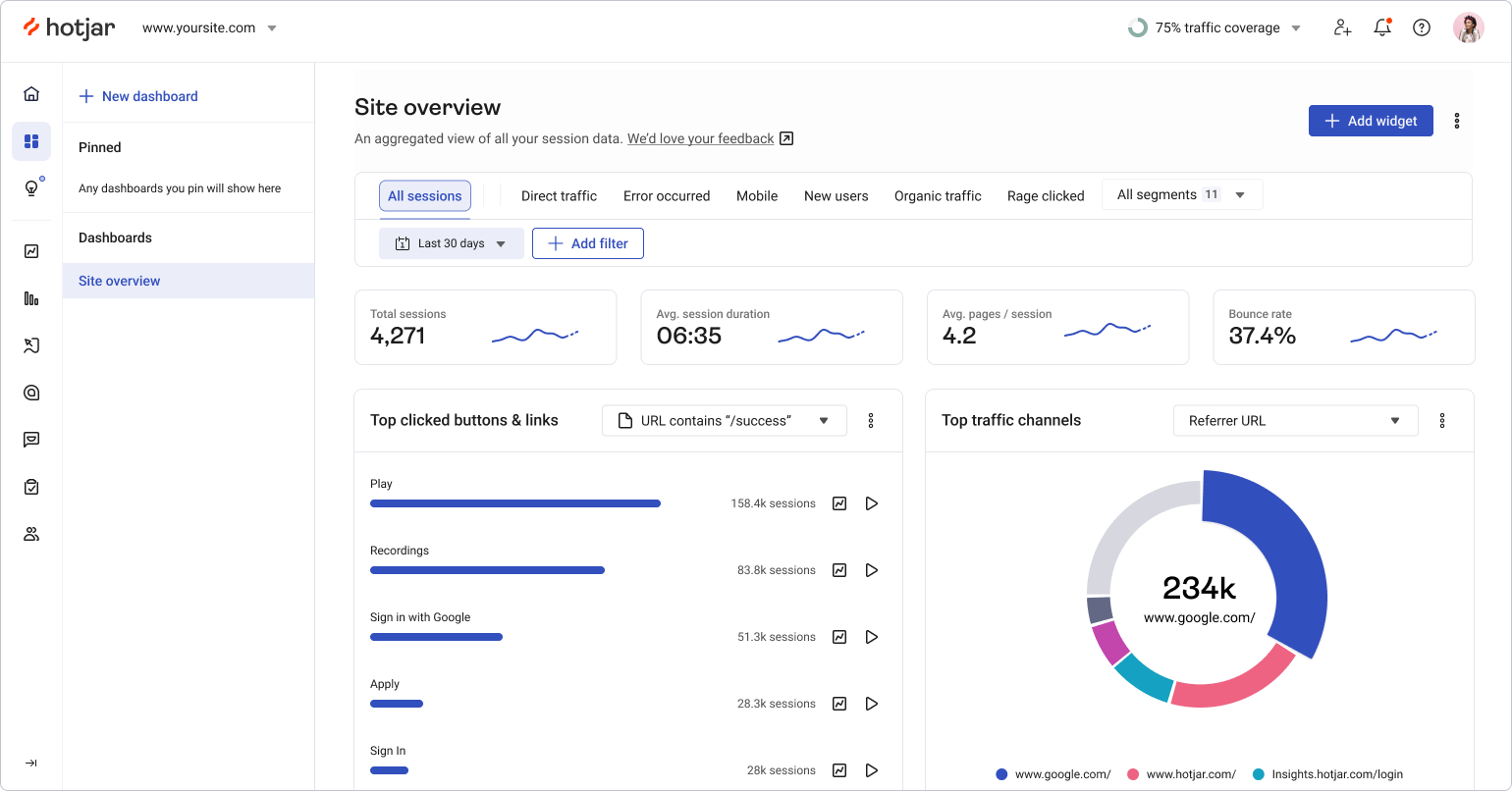
Image source: hotjar.com
Key features:
- Heatmaps for clicks, scrolls, and attention
- Session recordings for user journeys
- Surveys and feedback polls
- Funnel and form analysis
Advantages:
- Visual insights make behavior patterns clear
- Easy to set up for non-technical users
- Quick feedback collection from users
Disadvantages:
- Limited quantitative data
- Best suited for UX/product insights, not full analytics
- Pricing rises for larger volumes of recordings
6. Thoughtspot: AI-driven customer data analysis platform
ThoughtSpot brings AI-powered customer data analysis to organizations, allowing teams to explore complex datasets and uncover actionable insights without extensive technical expertise. Its search-driven analytics and AI recommendations help businesses make faster decisions and identify trends that improve customer engagement and operational efficiency.
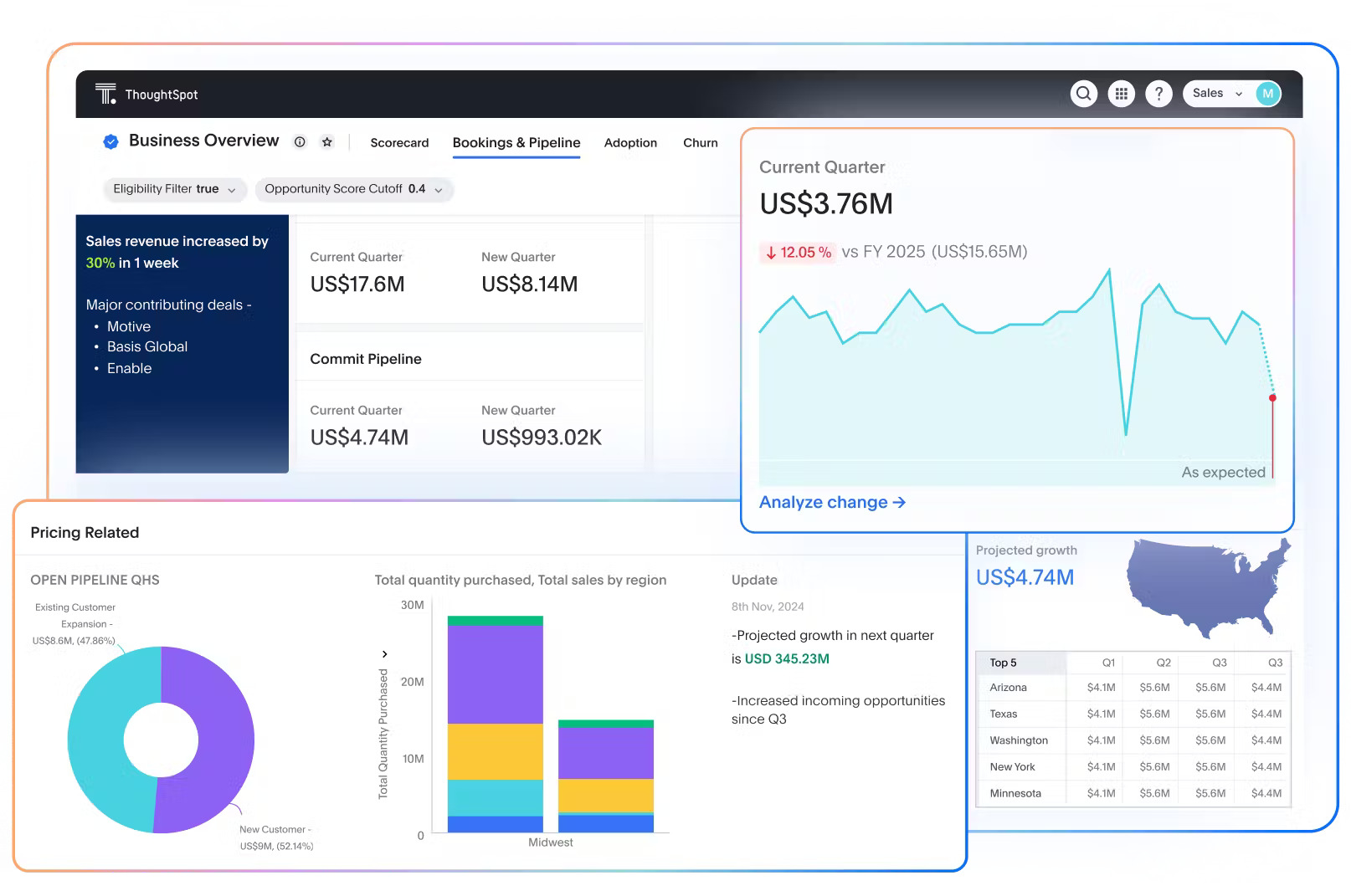
Image source: thoughtspot.com
Key features:
- Search-driven analytics with natural language queries
- AI-generated insights and recommendations
- Real-time dashboards
- Integration with multiple data sources
Advantages:
- AI simplifies complex data analysis
- Supports large-scale datasets
- User-friendly for non-technical teams
Disadvantages:
- Expensive for small teams
- Requires training to unlock full potential
- Limited customization in some visualizations
7. Zendesk Explore: Customer support analytics that matter
Zendesk Explore focuses on customer data analysis for support and customer experience teams, helping measure ticket trends, agent performance, and satisfaction metrics. By analyzing support interactions, businesses can identify pain points, optimize workflows, and improve overall customer satisfaction.
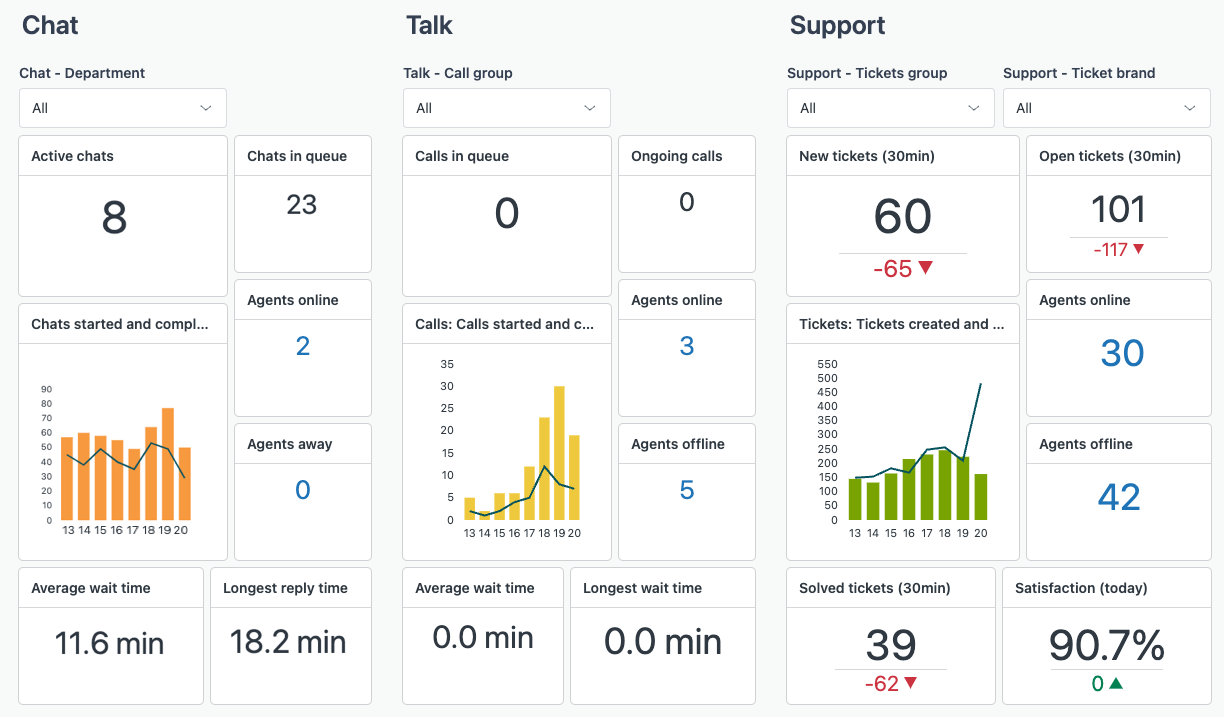
Image source: zendesk.com
Key features:
- Pre-built and custom reports
- SLA tracking and agent performance metrics
- Customer satisfaction and NPS analysis
- Real-time dashboards
Advantages:
- Tailored for support teams
- Easy to use with Zendesk Suite
- Real-time reporting improves decision-making
Disadvantages:
- Limited for non-support analytics
- It can be expensive for larger teams
- Customization options are somewhat restricted
8. Woopra: Real-time customer journey data platform
Woopra is a real-time analytics platform for customer data analysis, tracking user journeys across web and mobile channels. It helps marketing, sales, and product teams understand behavior, optimize engagement, and reduce churn by providing detailed insights into every step of the customer journey.
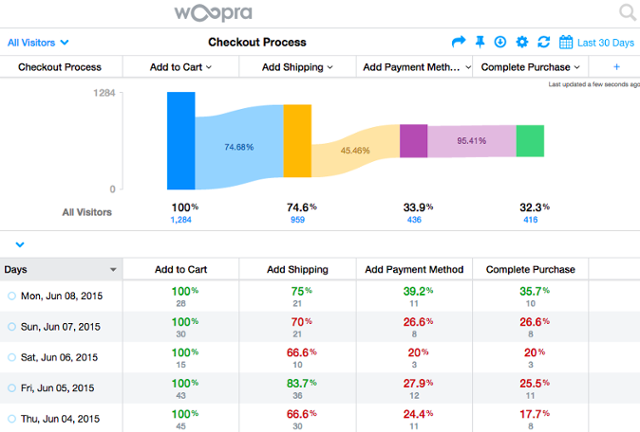
Image source: woopra.com
Key features:
- Customer journey mapping
- Real-time analytics dashboards
- Behavioral segmentation
- Retention and churn tracking
Advantages:
- Real-time insights and alerts
- Detailed journey tracking
- Supports multi-channel data
Disadvantages:
- Learning curve for setup
- Pricing can be high for large teams
- Limited historical data in free plan
9. Qualtrics XM: Sentiment & experience analytics for enterprises
Qualtrics XM provides enterprise-grade customer data analysis for experience management, helping businesses capture feedback, measure sentiment, and track customer satisfaction. Its tools empower teams to make strategic improvements that enhance engagement, loyalty, and overall experience.
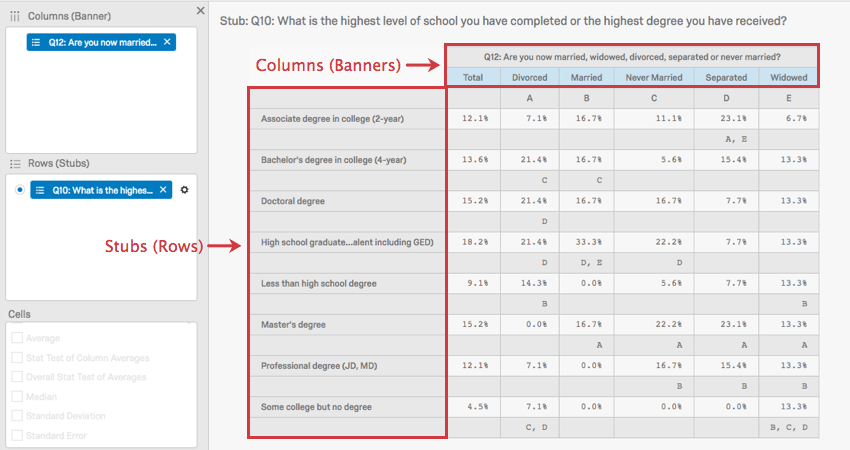
Image source: qualtrics.com
Key features:
- NPS, CSAT, and CES surveys
- Sentiment and text analytics
- Experience dashboards and reporting
- Automated feedback workflows
Advantages:
- Strong sentiment and experience tracking
- Enterprise-grade analytics
- Supports large-scale customer programs
Disadvantages:
- Expensive for smaller teams
- Complex setup for beginners
- Focused more on feedback than behavioral data
10. Userpilot: In-app customer data & experience analytics
Userpilot is designed for customer data analysis of in-app behavior, helping product and customer success teams track feature adoption, engagement, and retention. It allows teams to deliver contextual experiences that drive usage and improve product satisfaction.
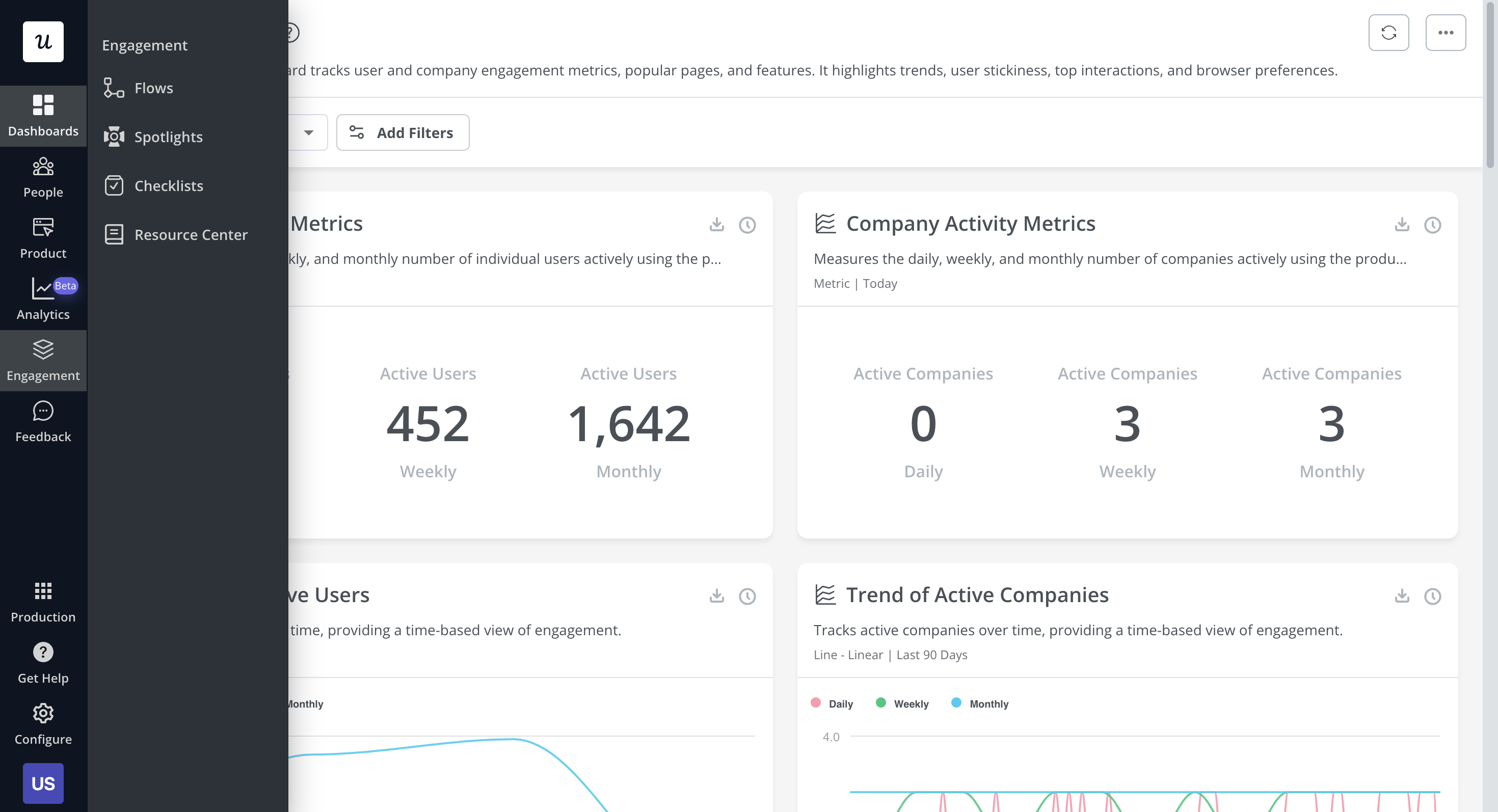
Image source: userpilot.com
Key features:
- Feature adoption tracking
- In-app surveys and feedback
- User segmentation and cohort analysis
- Product usage dashboards
Advantages:
- Directly measures in-app behavior
- Helps improve feature adoption
- Easy setup for product teams
Disadvantages:
- Limited to offline customer data
- Focused on SaaS products
- It can become expensive at scale
Core steps/framework for doing customer data analysis
Successful customer data analysis requires a structured approach to turn raw data into actionable insights. Following a step-by-step framework ensures accuracy, relevance, and measurable business impact.
- Step 1: Define business goals and key questions
Start by identifying what you want to achieve with customer data analysis. Clear business objectives and questions guide which data to collect and how to interpret results. This step ensures your analysis is focused and outcome-driven.
- Step 2: Identify data sources and instrumentation
Determine where your data will come from, including websites, apps, CRM systems, or surveys. Proper instrumentation ensures accurate and consistent data collection. Knowing your sources is crucial for reliable insights. If you're pulling data from external sources, Proxidize residential proxies can help keep that collection stable and uninterrupted. Knowing your sources is crucial for reliable insights.
- Step 3: Clean and unify data (data pipelines, ETL)
Raw data often contains errors, duplicates, or inconsistencies. Cleaning and unifying data through ETL processes ensures it's accurate and usable. A unified dataset forms the foundation of trustworthy customer data analysis.
- Step 4: Exploratory analysis / descriptive insights
Explore the data to identify trends, anomalies, and patterns. Descriptive analysis provides a clear understanding of past behaviors and interactions. This step lays the groundwork for deeper analysis and strategy. At this stage, ai for business intelligence helps teams move beyond static reports by automatically surfacing patterns, trends, and anomalies that might otherwise be missed.
- Step 5: Segmentation and cohort analysis
Group customers based on shared characteristics, behaviors, or lifecycle stages. Segmentation helps target specific audiences and personalize experiences. Cohort analysis tracks groups over time, revealing retention and engagement trends.
- Step 6: Predictive modeling and forecasting
Use statistical or machine learning models to predict future customer behaviors. Forecasting can include churn likelihood, lifetime value, or next-best-offer recommendations. Predictive insights enable proactive decision-making.
- Step 7: Visualization/dashboards and reporting
Present findings through dashboards and visualizations for clear communication, especially when supported by a Microsoft Power BI consulting firm. Visualization helps stakeholders understand patterns and trends quickly. Well-designed reports enhance decision-making and actionability.
- Step 8: Action, monitoring, feedback loops
Implement changes based on insights and continuously monitor results. Feedback loops allow adjustments to strategies and tactics. This ensures ongoing improvement and the effectiveness of your customer data analysis.
Best practices and pitfalls to avoid
Adopt best practices like maintaining data quality, ensuring privacy compliance, and using both qualitative and quantitative insights. Avoid pitfalls such as overcomplicating analysis, misinterpreting correlation, or ignoring context. Proper governance maximizes the value of your analysis.
Challenges, ethical and privacy considerations
When performing customer data analysis, businesses must navigate several ethical, privacy, and operational challenges. Ensuring responsible use of data not only protects customers but also enhances trust and the reliability of insights derived from the analysis.
- Data privacy, consent, GDPR / CCPA compliance
Protecting customer data is critical. Businesses must obtain clear consent and follow regulations like GDPR and CCPA to ensure lawful collection, storage, and use of data, reducing legal risks and building customer trust.
- Bias in models/fairness
Analytical models can unintentionally reflect existing biases in data. Regularly auditing algorithms and datasets helps ensure fair treatment of all customer segments and prevents skewed or discriminatory insights.
- Data quality issues, missing data, noise
Incomplete, inaccurate, or noisy data can distort findings. Establishing robust data cleaning and validation processes ensures the accuracy, consistency, and reliability of insights from customer data analysis.
- Interpreting correlation vs. causation
Not all observed relationships imply causality. Analysts must carefully distinguish between correlation and causation to make correct inferences and avoid misleading business decisions.
- Organizational adoption & change management
Even with accurate analysis, insights are ineffective if teams don't adopt them. Promoting a data-driven culture, training staff, and aligning workflows ensure that customer data analysis translates into actionable outcomes.
Conclusion
Effective customer data analysis is key to understanding your audience, optimizing experiences, and driving business growth. By collecting the right data, following a structured analysis framework, and using best-in-class tools, companies can generate actionable insights that inform strategy and decision-making.
Platforms like Lark provide a collaborative environment to unify client data, track tasks, visualize performance, and streamline workflows, making it easier for teams to act on insights quickly. Combined with other specialized analytics tools, businesses can ensure their customer data analysis efforts are both comprehensive and impactful.
FAQs
Can small businesses benefit from customer data analysis?
Yes, even small businesses can use analytics to understand customer behavior, personalize marketing, and improve retention without huge budgets. Tools like Lark and Google Analytics scale for smaller teams.
How often should customer data be analyzed?
Analysis frequency depends on business goals. For marketing and product teams, weekly or monthly reviews are common, while real-time dashboards are ideal for service operations and campaign monitoring.
What is the role of AI in customer data analysis?
AI automates pattern detection, predictive modeling, and sentiment analysis, helping businesses generate actionable insights faster and with higher accuracy than manual methods.
How can customer segmentation improve business strategy?
Segmenting customers by behavior, demographics, or value enables targeted campaigns, personalized offers, and better resource allocation, driving higher engagement and ROI.
What are emerging trends in customer data analysis?
Key trends include real-time analytics, conversational and voice data analysis, predictive modeling with AI, and augmented analytics that enable non-technical teams to explore insights directly.
Related reading
Table of contents
Start using Lark today

Manage all your work in one place
Boost team efficiency by 10x
Save up to 70% on software costs
Table of contents
Start using Lark today
Manage all your work in one place
Boost team efficiency by 10x
Save up to 70% on software costs
Keep reading









2026 Lark Technologies Pte. Ltd.
Headquartered in Singapore with offices worldwide.






Explore: