














What is CRM (Customer Relationship Management)? The Ultimate Guide

Owyn Thomas Kerr
Lark Content Manager
Sep 18, 2026
Owyn Thomas Kerr
Sep 18, 2026

16 min read


What is CRM (Customer Relationship Management)?
CRM (Customer Relationship Management) is software that helps businesses manage customer data, track interactions, automate sales and marketing, and improve relationships throughout the customer lifecycle.
Customer data, communication history, and deal progress are centralized on a single platform, so your teams across sales, marketing, and customer service can collaborate using the same information. Your business can then identify opportunities faster and deliver more personalized experiences.
Who is CRM for?
While most people associate CRM software with sales, marketing, and customer support, more and more teams are using CRM to improve their operations. Here is how some teams are adopting CRM:
- Human resources (HR): Recruiting is sales, just with candidates. HR teams use CRM workflows to manage the hiring pipeline, tracking applicants through interviews and maintaining a database of potential talent.
- Finance: By integrating CRM with billing systems, finance can verify contract details and track renewals without chasing sales reps, ensuring accurate invoicing while providing visibility into client status.
- Business development: Managing partners and resellers requires the same rigor as direct sales. BD teams use CRM to track joint ventures, share leads with partners, and measure the revenue impact of strategic alliances.
- Product: Product managers can mine data from "lost deals" and support tickets to identify feature gaps. This helps build roadmaps based on actual market demand and user feedback rather than internal guesswork.
- Customer success: Distinct from reactive support, success teams use CRM to monitor client "health scores." They proactively identify churn risks and upsell opportunities, ensuring customers realize long-term value.
What does a CRM do?
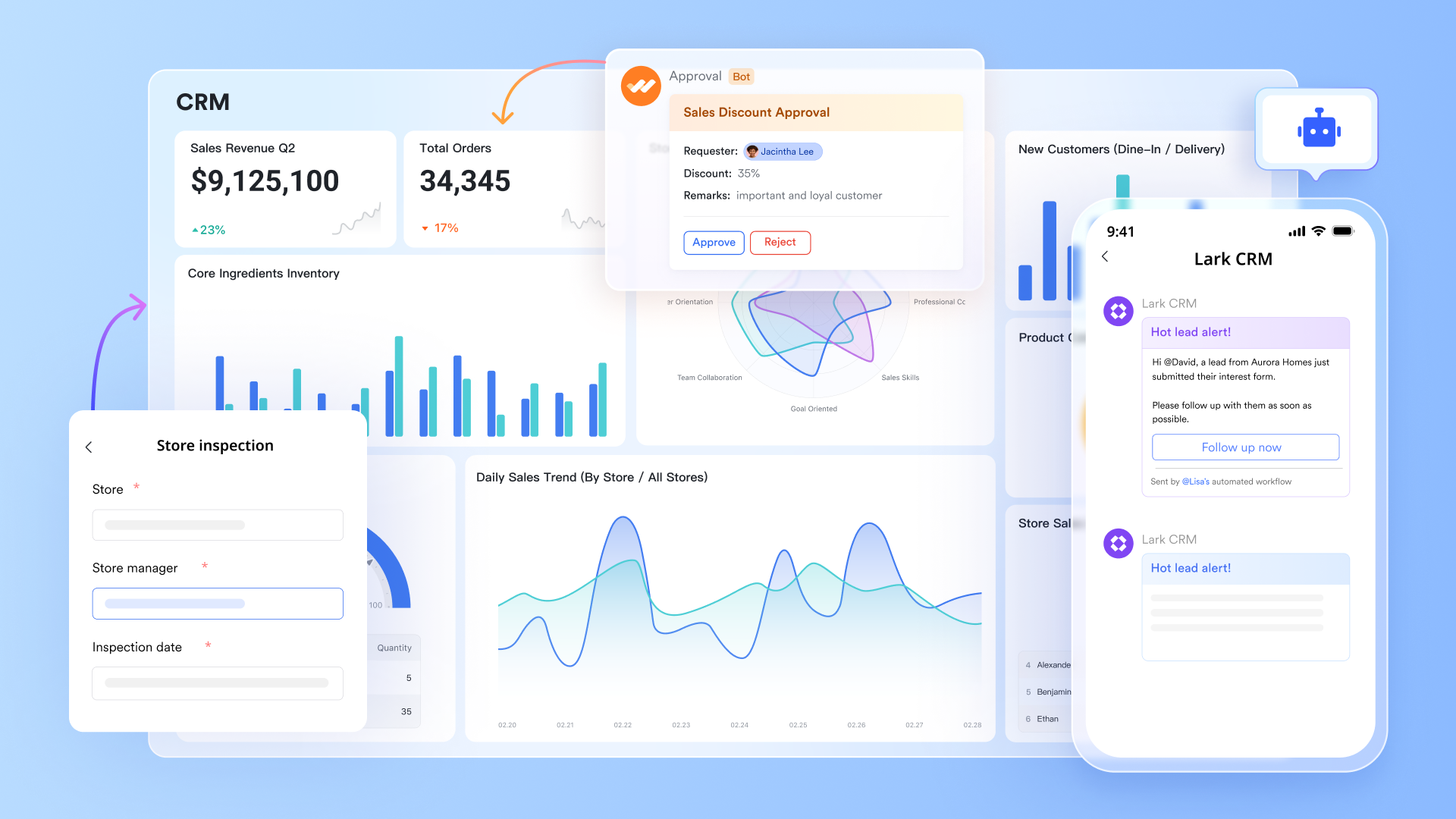
CRM software centralizes all customer and prospect information in one secure platform, including contact details, past interactions, purchase history, and communication preferences. This gives teams a complete view of each relationship and makes it easier to manage sales, marketing, and customer service activities.
Beyond organization, CRM software streamlines workflows through automation and AI. Teams can automate follow-ups, track leads, and gain insights into customer behavior, sales opportunities, and pipeline performance. With these tools, businesses can deliver timely, personalized experiences, improve efficiency, and strengthen customer relationships.
Why is CRM important for businesses?
A recent Gartner report states that over 80% of industry leaders use CRM software, and for good reason. Without a central system, your business may struggle with these challenges: valuable customer data is scattered across spreadsheets and inboxes, sales and marketing teams work in silos, and promising leads fall through the cracks due to a lack of follow-up.
Implementing a CRM is the strategic solution to this chaos. It transforms how you operate by addressing these core challenges head-on. Here are the key reasons why a CRM is essential for your business.
Unifying all your customer data
CRM solutions like Lark CRM give you a single source of truth for all customer information, helping you track purchase history, communication preferences, support tickets, and website activity in one place. This centralized data allows your team to make informed decisions and deliver personalized service that builds loyalty.
Improving team collaboration
CRM platforms break down departmental silos by giving everyone shared visibility into customer interactions. Your sales, marketing, and service teams can coordinate campaigns, track leads, and ensure messaging is consistent across the entire customer journey.
Enhancing customer journeys through AI
The best CRM software integrates AI technology to help you better understand your customers and tailor interactions in real time. From generating meeting summaries and analyzing sentiment to generating reports and pitches, AI reduces manual work and speeds up productivity. Businesses using CRM with AI are 83% more likely to exceed their sales goals.
By investing in a CRM with AI, you can deliver smarter, faster, and more personalized experiences for your customers while enabling your team to work more efficiently.
What types of businesses can benefit from CRM?
CRM is not a one-size-fits-all solution. The capabilities required by a B2B enterprise differ largely from those of a B2C brand, just as the needs of a small business differ from a global corporation.
Here is how the software adapts to these specific categories to drive growth.
Business-to-business (B2B)
B2B companies typically deal with longer sales cycles, higher transaction values, and multiple decision-makers involved in a single deal. Their CRM needs focus heavily on relationship management and deal tracking.
- Pipeline management: The CRM visualizes long-term deals, tracking them from the initial lead stage through negotiation to the final contract.
- Account-based focus: Instead of looking at individuals in isolation, the CRM links contacts to specific organizations, helping sales teams map out stakeholders and organizational hierarchies.
- Quote management: It helps streamline the creation of complex proposals and ensures consistent pricing across the sales team.
Business-to-consumer (B2C)
B2C companies operate with high transaction volumes and shorter sales cycles. The focus shifts from managing deep relationships with a few people to managing broad interactions with thousands.
- Audience segmentation: The CRM aggregates vast amounts of data to group customers by behavior, demographics, or purchase history for targeted marketing.
- Marketing automation: Automation is essential for handling scale, triggering automatic emails or offers based on customer actions (like abandoning a cart or signing up for a newsletter).
- Customer support velocity: It provides support agents with instant access to purchase history, allowing them to resolve tickets quickly without asking the customer to repeat information.
Hybrid businesses
Many modern companies do not fit neatly into a single box. A "hybrid" business might be a manufacturer that sells bulk to retailers (B2B) while also running a direct-to-consumer e-commerce store (B2C), so they need a CRM that allows for flexibility.
- Multi-pipeline management: They require a system that can run different sales processes simultaneously—tracking a six-month contract negotiation in one view while monitoring instant website purchases in another.
- Unified data architecture: CRM allows users to see if a B2B buyer is also interacting with B2C marketing materials, preventing the data from being trapped in separate databases.
- Scalable tiers: As a business grows from SMB to mid-market, hybrid-friendly CRMs allow them to unlock advanced features without having to migrate their entire database to a new platform.
Small and medium-sized businesses (SMBs)
For small and midsized teams and startups, the primary challenges are often disorganization and limited resources. The goal of a CRM here is centralization and efficiency.
- Central organization: It serves as a digital filing cabinet, moving the business away from spreadsheets and sticky notes into a single, searchable database.
- Doing more with less: Automation features allow small teams to handle administrative tasks (like data entry or follow-up emails) automatically, freeing up time for revenue-generating activities.
- Mobility: SMBs often need cloud-based mobile access, allowing founders and small teams to manage client relationships from anywhere.
Large enterprises
For large organizations, the volume of data is massive and the workforce is complex. The CRM becomes a tool for governance, deep analytics, and cross-departmental alignment.
- Breaking down silos: It connects disparate departments—sales, marketing, support, and success—ensuring that data flows freely across the organization so everyone has a "single source of truth."
- Advanced analytics: Enterprise CRMs process millions of data points to provide leadership with accurate revenue forecasts and strategic insights.
- Security and governance: Large companies require strict access controls to ensure employees only see the data relevant to their role, along with heavy customization to fit legacy processes.
What are the benefits of using a CRM?
A CRM can deliver measurable results for businesses big and small. When implemented correctly, it can bring a range of benefits, from better sales performance to higher customer satisfaction and overall efficiency.
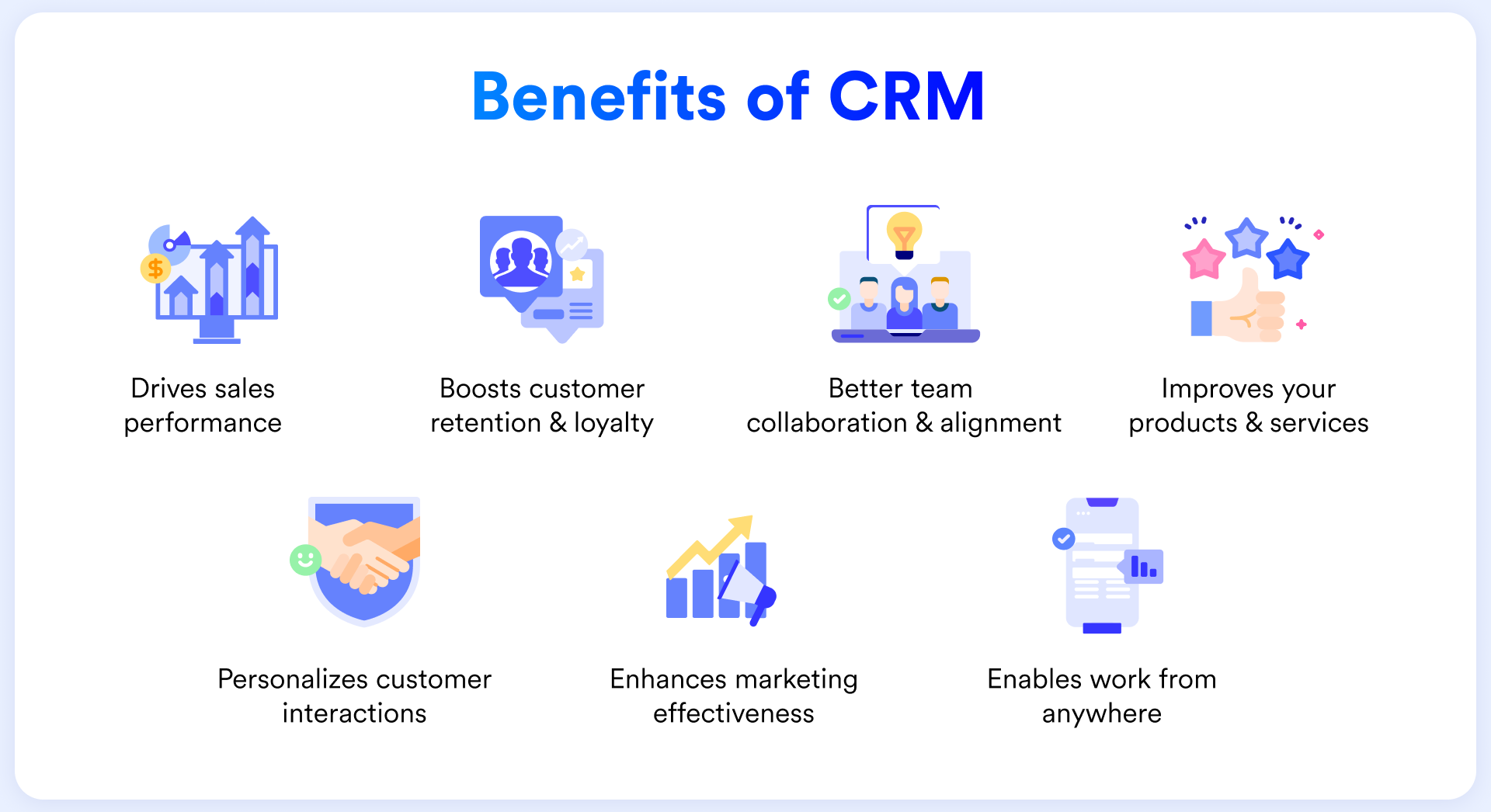
Drives sales performance
CRM solutions help your sales team prioritize leads, automate routine tasks, and gain visibility into the sales process and pipeline. These capabilities increase productivity, improve conversion rates, and enable accurate sales forecasting. All of this translates into tangible sales performance, with a study showing a 29% rise in sales after companies adopt a CRM.
Features like automated follow-ups, standardized sales stages, and intelligent recommendations ensure no opportunities are missed, freeing sales reps to focus on building relationships and closing deals.
Boosts customer retention and loyalty
A CRM system helps you strengthen long-term relationships by tracking customer activity, preferences, and engagement history. With automated reminders, renewal tracking, and satisfaction insights, teams can identify at-risk accounts early and take proactive steps to retain them. This leads to higher loyalty, lower churn, and increased customer lifetime value.
Better team collaboration and alignment
When sales, marketing, and service teams share the same CRM, everyone works from one source of truth. Centralized data reduces silos, ensures consistent customer experience, and improves coordination across departments.
With shared visibility into every interaction and a variety of collaboration features, teams can work together seamlessly to drive growth and deliver unified service.
Improves products and services
A CRM system collects data from across your business and external channels, providing insights not only about individual customers but also about overall trends and sentiment.
AI-powered dashboard analysis can reveal how customers feel, highlight emerging issues, and identify gaps, helping businesses refine products and services proactively.
Personalizes customer interactions
Personalized interactions strengthen customer relationships and drive loyalty, which in turn boosts revenue. CRM systems help teams gather and organize the right data to craft communications that resonate, improving engagement and customer satisfaction with every touchpoint.
Enhances marketing effectiveness
Your marketing team can leverage CRM data for targeted marketing campaigns, personalized messaging, and automated lead nurturing. Segmentation based on behavior, purchase history, and engagement patterns improves open rates, lead quality, and ROI.
Analytics from CRM platforms help teams refine campaigns, allocate budgets effectively, and focus on the most impactful channels.
Enables work from anywhere
Cloud-based CRM platforms and mobile apps, including dedicated CRM apps, allow teams to manage appointments, track deals, update records, and log calls from anywhere. Mobile access to reporting and analytics helps sales and service teams monitor key CRM metrics and make data-driven decisions in real time.
Key features of a CRM
CRM platforms today offer a full suite of tools to manage customer relationships, streamline processes, and support growth across sales, marketing, and service teams. Knowing these features can help you choose the best CRM system and maximize your investment.
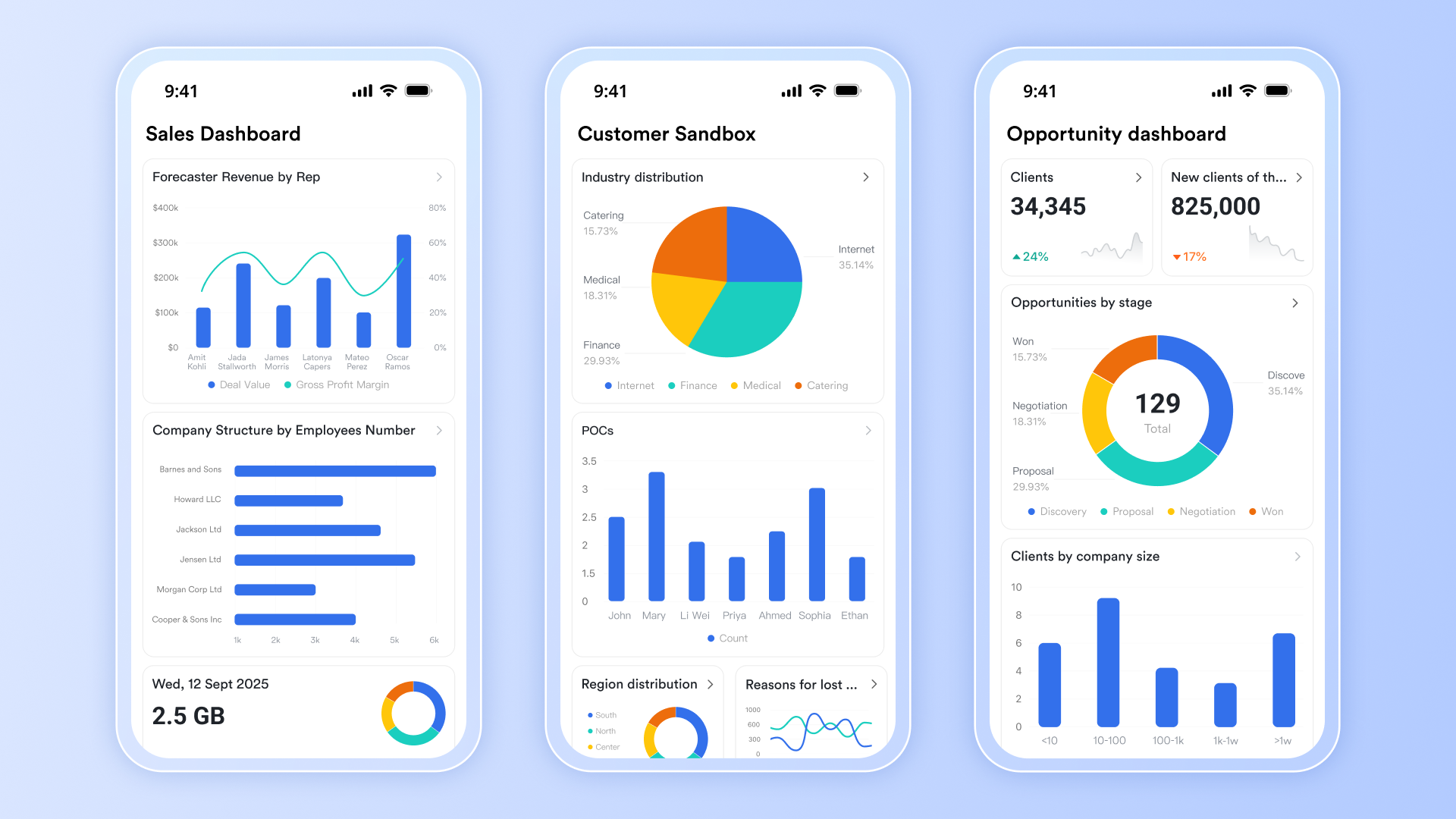
Contact management and lead management
CRMs centralize all customer and prospect information, including contact details, interaction history, and preferences. Automated lead capture pulls in prospects from multiple channels, while CRM features like lead scoring and qualification help sales teams focus on the highest-potential opportunities.
Sales and deal management
CRM systems provide visual pipelines, opportunity tracking, and deal management tools that help sales teams monitor progress, identify bottlenecks, and prioritize efforts. Automated workflows, reminders, and task assignments reduce administrative work and keep deals moving efficiently.
Sales automation
CRMs automate repetitive sales tasks such as follow-ups, reminders, proposal generation, and pipeline updates. This frees up sales reps to focus on high-value activities, ensures consistent follow-up with prospects, and accelerates the sales cycle.
Marketing automation
Integrated marketing tools let teams automate email marketing campaigns, nurture leads, and track engagement across channels. Landing page and form integrations feed leads directly into the CRM, while analytics measure campaign performance, ROI, and customer behavior to optimize strategies.
Data analysis and reports
With so much customer data in one place, a great CRM system will help you to analyze it all through customizable CRM dashboards and automated reports. This transforms raw data into actionable insights, allowing you to instantly track your sales pipeline, measure key metrics, and understand your team's performance.
Mobile access and app integrations
Cloud-based CRMs and dedicated mobile apps let teams, including field sales, work from anywhere, updating records, managing deals, and monitoring performance on the go. Integration with other business tools, like email, accounting, and survey platforms, ensures a unified workflow and a true 360-degree view of each customer.
AI and customization
Modern CRMs include AI-driven insights to predict outcomes, automate tasks, and personalize interactions. Customizable dashboards, fields, workflows, and no-code tools allow businesses to tailor the system to their processes and industry requirements.
Collaboration tools
The best CRM solutions do more than manage customer data; they bring your entire team together. From chat and email to document and project management, an all-in-one CRM lets you handle everything in one place. By consolidating your tools, you eliminate the need to switch between multiple costly apps and keep both your work and client relationships organized on a single platform.

How much does a CRM cost?
CRM costs range from free plans to hundreds of dollars per user per month, depending on features, scalability, and business needs. Free or freemium plans usually include contact management, basic pipeline tracking, email logging, and mobile access.
Paid plans unlock advanced features like automation, lead scoring, custom fields, and analytics. Mid-tier plans typically cost $10–$100+ per user per month, while enterprise solutions with custom integrations and enhanced security can exceed $150 per user per month.
How to choose the right CRM for your business?
Choosing the right customer relationship management (CRM) system is a critical decision that can transform how your business operates, manages customer relationships, and drives growth. The best solution will meet your current needs while also providing room for future expansion.
Before you start building your CRM, follow this step-by-step guide to select the optimal CRM solution:
Step 1: Define your core business needs
Before looking at any software, first, evaluate your own organization. A clear understanding of your requirements is essential.
- Business size: Are you a small business, a growing medium-sized company, or a large enterprise?
- Industry: What specific requirements does your industry have? (e.g., HIPAA compliance for healthcare, ERP integration for manufacturing).
- Budget: What is your budget for licensing, implementation, and training? Calculate the total cost of ownership (TCO), not just the monthly fee.
- Growth plans: Will this CRM be able to scale with you as your business grows?
Step 2: Identify key features and priorities
Create a checklist of "must-have" vs. "nice-to-have" features. This will help you objectively compare different platforms. Consider using a weighted scoring system to rank solutions based on what matters most to your business.
Key factors to evaluate include:
- Ease of use: Is the interface intuitive? A simple CRM is more likely to be adopted by your team.
- Integration capabilities: Does it connect easily with the other tools you use (e.g., email, accounting, marketing, and sales automation)?
- Customization: Can you adapt the platform to your unique business processes and workflows?
- Mobile access: Does it offer a strong mobile app for teams on the go?
- Reporting & analytics: Can you get the advanced data and insights you need?
- Vendor reputation: Is the provider stable and known for good customer support?
Step 3: Find a solution matched to your business size
CRMs are not one-size-fits-all. Platforms are often designed for specific company scales.
- For small businesses: Look for cloud-based solutions that are affordable, quick to implement, and user-friendly.
- For medium-sized businesses: You typically need more advanced features like marketing automation, custom reporting, and flexible workflows.
- For enterprise organizations: You require a robust, highly scalable platform that can handle complex processes, extensive customization, and enterprise-grade security.
Step 4: Test your shortlisted platforms
Never make a final decision without a thorough, hands-on test.
- Use free trials: Most vendors offer 14-30-day free trials. Use this time to test the CRM with real data and actual users from your team. This is the best way to assess its true functionality and ease of use. Alternatively, test out free CRM platforms.
- Run a Proof-of-Concept (PoC): If you have a critical, specific need (like a complex integration or a unique workflow), conduct a focused PoC to confirm the software can handle it before you buy.
By taking a careful, structured approach to selecting your platform, you can ensure your investment pays off and you get started on the right foot.
How to overcome CRM implementation challenges?
Implementing a CRM system can transform your business, but it requires planning, training, and ongoing optimization. CRM projects often fail due to poor planning, low user adoption, or unclear expectations. The key to success is a systematic approach that addresses technical, organizational, and cultural factors.
Plan and prepare
Start by defining your goals: What do you want your CRM to achieve, and how will you measure success?
Conduct a data audit to clean, de-duplicate, and standardize customer information before migration. Choose a CRM vendor that fits your business needs, considering features, integrations, scalability, and cost. Finally, invest in team training and change management to ensure users adopt the system.
Launch in phases
Use pilot programs or phased rollouts to test the system with a small group before full deployment. Collect user feedback and refine workflows to address issues early. Continuous support and refresher training for both new and existing users help maximize adoption and ROI.
Start simple and scale
Begin with the essentials: import contacts, set up sales pipelines, and automate routine tasks like follow-ups. Once your team is comfortable, layer in advanced features such as predictive analytics, lead scoring, and customer segmentation. Automation can handle repetitive tasks, freeing your team to focus on selling and customer engagement.
Measure success and optimize
Track metrics like user adoption, data quality, sales productivity, and customer satisfaction. Regularly review these metrics to fine-tune processes, identify bottlenecks, and ensure your CRM continues to deliver value.
By combining careful planning, phased adoption, and ongoing optimization, your CRM can become a powerful tool to boost collaboration, streamline workflows, and drive business growth.
CRM solutions for different industries
CRM platforms serve a wide range of industries, each with distinct goals and challenges. Below are some common industry-specific examples:
- Travel agency CRMs: Agents use these to track traveler preferences and booking history to build personalized itineraries. They also automate important payment reminders and travel alerts.
- Law firm CRMs: These tools streamline client intake and case management while tracking billable hours. They ensure lawyers stay on top of court dates and maintain conflict-of-interest checks.
- Hospitality CRMs: Hotels track guest preferences, like room type or dietary needs, to deliver personalized stays. They also manage loyalty programs and automate pre-arrival communications.
- E-commerce CRMs: Online retailers use CRM to track purchase history and recover abandoned shopping carts. This data drives personalized product recommendations and targeted email marketing campaigns.
- Construction CRMs: Contractors rely on these to manage bids, track project timelines, and organize subcontractor communication. It ensures that complex projects stay on budget and on schedule.
- Healthcare CRMs: Clinics use these to manage patient appointment scheduling and automated follow-up reminders. They help maintain engagement while keeping sensitive patient data secure and organized.
- Banking CRMs: Financial institutions track customer portfolios to offer personalized loan or investment products. They also provide a unified view of the customer across branches and digital channels.
- Automotive CRMs: Dealerships track leads from the first test drive to the final purchase and beyond. They automate service maintenance reminders to keep customers coming back for repairs.
- Non-profit CRMs: Charities manage donor relationships and track fundraising campaigns in one place. They also organize volunteer schedules and automate donation receipts.
- Manufacturing CRMs: Manufacturers use CRM to forecast demand and manage relationships with distributors and suppliers. It helps track complex supply chains and ensure inventory aligns with sales orders.
For businesses operating across multiple industries or seeking an all-in-one CRM, platforms like Lark offer a comprehensive solution that can be used by any team, in any field.
The future of CRM
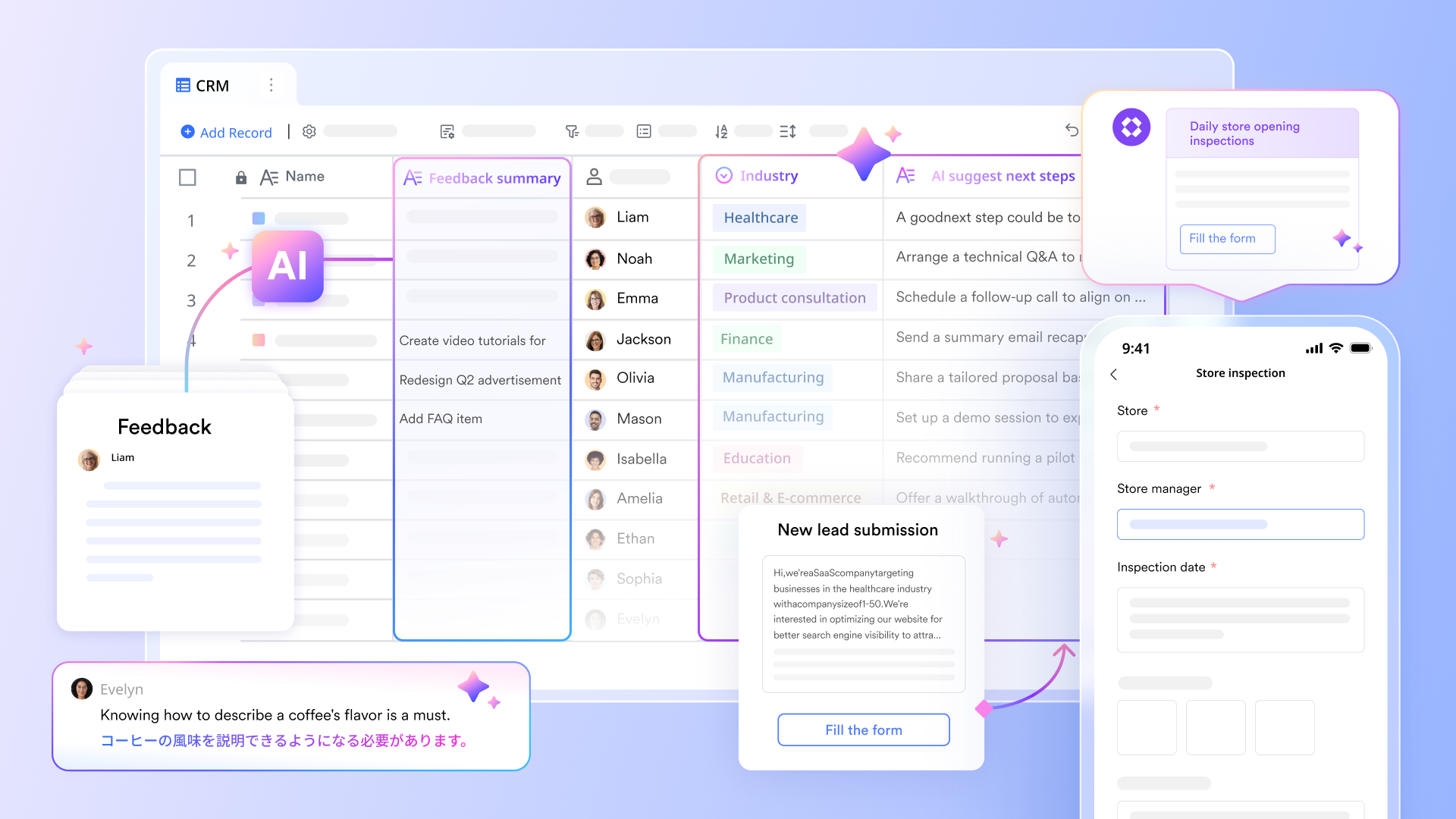
CRM technology is constantly evolving, and the next big shift is being driven by Artificial Intelligence (AI) and software that doesn't require coding. Here’s what the future looks like for all customer relationship management software.
Predictive lead scoring
AI algorithms will sift through vast amounts of historical data, including customer demographics, website interactions, email engagement, and past purchase history. By identifying patterns that correlate with successful conversions, these systems can automatically score new leads in real-time. This allows sales teams to instantly prioritize their efforts, focusing valuable time on prospects who are most likely to buy.
AI-powered chatbots
The next generation of intelligent virtual agents will go far beyond simple, scripted answers. Powered by natural language processing (NLP), these AI chatbots will understand customer intent, handle complex, multi-step inquiries, and resolve routine service issues 24/7.
Generative AI for sales
Generative AI is poised to become an indispensable assistant for sales representatives. It will significantly reduce administrative burdens by automatically drafting personalized follow-up emails after a call, generating tailored call scripts based on a prospect's profile, and instantly summarizing key takeaways and action items from meeting recordings.
Hyper-personalization at scale
AI will create a complete picture of each customer by browsing behavior, support tickets, social media sentiment, and purchase history. This enables businesses to deliver truly one-to-one sales and marketing. This deep level of personalization builds stronger customer loyalty and significantly boosts lifetime value.
No code CRM platforms
No-code CRM platforms let you build and customize workflows without coding. Your team can automate follow-ups, create dashboards, and connect tools quickly, making processes more efficient. This flexibility empowers sales, marketing, and operations to adapt fast, experiment safely, and build workflows without having to rely on an IT team.
AI and code-free CRMs are not on the horizon; they're already here. Leading platforms are actively deploying this technology, enabling businesses to leverage powerful AI advantages right now.
CRM resources
Now that you know what a CRM is, it's time to discover the perfect CRM for your business. Browse the following articles, get free templates, and use our interactive tools to get started:
- Find out what the best CRM software is.
- Discover the best low-cost CRM solutions.
- Read about the best CRM apps for your phone.
- Learn what the top AI CRMs are.
- See how much you can save by using Lark's all-in-one CRM solution.
- Explore the Template Library for free CRM templates and more.
Transform your business with a smart CRM
Managing customer relationships can be complex. Data is scattered, teams can feel disconnected, and valuable opportunities can slip through the cracks.
What you need is a reliable platform designed to make work simple. Lark provides the essential CRM tools you need in an all-in-one platform, helping you organize your data, collaborate effectively, and focus on what you do best: serving your customers.
See how Lark can unify your teams and transform your customer relationships.
CRM FAQs
What does CRM stand for?
CRM stands for customer relationship management.
What is a CRM system?
A CRM system is software that helps businesses manage interactions with customers, track leads, streamline sales, and improve customer relationships to drive growth.
What is CRM in marketing?
In marketing, CRM helps teams manage campaigns, segment audiences, and deliver personalized messages. It connects marketing data with sales insights to improve targeting and increase conversion rates.
What is a CRM database?
A CRM database stores all customer details such as contact info, purchase history, and communication records in one place. This gives every team member quick access to accurate, up-to-date information, helping members manage relationships with customers better.
How to deploy a CRM system?
There are two primary deployment models for a CRM system:
- Cloud-based CRM (SaaS): Also known as Software-as-a-Service, cloud-based CRMs are hosted by the CRM vendor and accessed via the internet. It is favored for its lower upfront costs, automatic updates, high scalability, and accessibility from any location.
- On-premise CRM: This model is installed directly on your company's own servers and hardware. It offers complete control over data, security, and customization, but typically requires a significant initial investment and a dedicated IT team for ongoing maintenance and support.
What's the difference between CRM tools, suites, and platforms?
While terms like CRM suite, CRM platform, and CRM tool are often used interchangeably, they aren’t always the same. A CRM suite is an all-in-one solution covering all CRM needs. A CRM platform connects multiple features and is highly customizable. A CRM tool is a single, focused feature designed mostly for small teams that don't need bloated software.
How much does a CRM platform really cost?
CRM costs vary greatly based on features, number of users, and more. To better understand the costs for your business, read CRM Pricing: How Much Do CRMs Really Cost in 2025?
What are the different types of CRM?
There are four main types of CRM systems, each serving a different purpose:
- Operational CRM: Focused on streamlining daily workflows, these systems automate routine tasks across sales, marketing, and customer service departments.
- By handling repetitive processes automatically, teams gain the freedom to concentrate on building stronger relationships and closing complex deals. Such efficiency ensures that critical customer interactions are never missed and productivity remains high.
- Analytical CRM: Operating behind the scenes, this type gathers and scrutinizes deep data regarding customer preferences, behaviors, and interaction history.
- Techniques like data mining reveal hidden patterns, helping organizations truly understand what their clientele desires. Leveraging these insights allows for smarter, data-driven decisions that significantly boost customer satisfaction and long-term retention.
- Collaborative CRM: Connecting disparate departments like sales, technical support, and marketing allows for seamless information sharing across the entire organization.
- Every team member gains access to the same up-to-date view of a client's history and specific needs. Consequently, customers enjoy a unified experience where they never have to repeat their stories to different agents.
- Strategic CRM: Placing the customer at the heart of business strategy, this model prioritizes building enduring relationships over securing quick, one-off sales.
- Company culture and resources align to focus entirely on delivering exceptional value to the consumer. Adopting this approach maximizes loyalty and increases the lifetime value of the most profitable clients.
To learn all about the different types of CRM systems, see The Ultimate Guide to Types of CRM Software: Features and Examples.
Why is CRM considered essential for all businesses?
CRM helps businesses organize information, track interactions, and build strong customer relationships. It improves communication, boosts customer retention, and supports better decision-making through data-driven insights.
How does a CRM drive sales?
A CRM tracks leads, automates follow-ups, and shows which deals are most likely to close. Sales teams can focus on the right prospects, personalize outreach, and shorten the sales cycle—all leading to higher revenue.
What is the best CRM platform?
The answer depends on what your business needs. If you're a part of a large enterprise, a solution like Salesforce with its robust advanced features may suit your team. However, if you're a smaller business or focused on cost-effective solutions, then platforms like Lark offer the best value for money. To learn more, read 8 Great CRM Apps for 2025.
What is the best CRM software for small businesses?
Lark, HubSpot CRM, and Zoho CRM all offer great CRM tools for small businesses looking to manage current and potential customers. However, the best way to find out is by testing these CRM solutions directly.
Are free CRMs worth it?
Free CRM software is a great starting point if you're a small business, startup, or solo entrepreneur. However, it's worth considering that a free solution may only get you so far depending on the size of your business or the number of customers. For example, to handle both sales and marketing efforts, you may need a paid plan.
Table of contents
Start using Lark today

Manage all your work in one place
Boost team efficiency by 10x
Save up to 70% on software costs
Table of contents
Start using Lark today
Manage all your work in one place
Boost team efficiency by 10x
Save up to 70% on software costs
Keep reading









2026 Lark Technologies Pte. Ltd.
Headquartered in Singapore with offices worldwide.






Explore: